Game Asset Management: The Complete Guide
Learn how to manage game assets at scale in Unity and Unreal by studying folder structures, naming conventions, libraries, version history, file locking, and review workflows.

Keep your entire iteration cycle in a single application
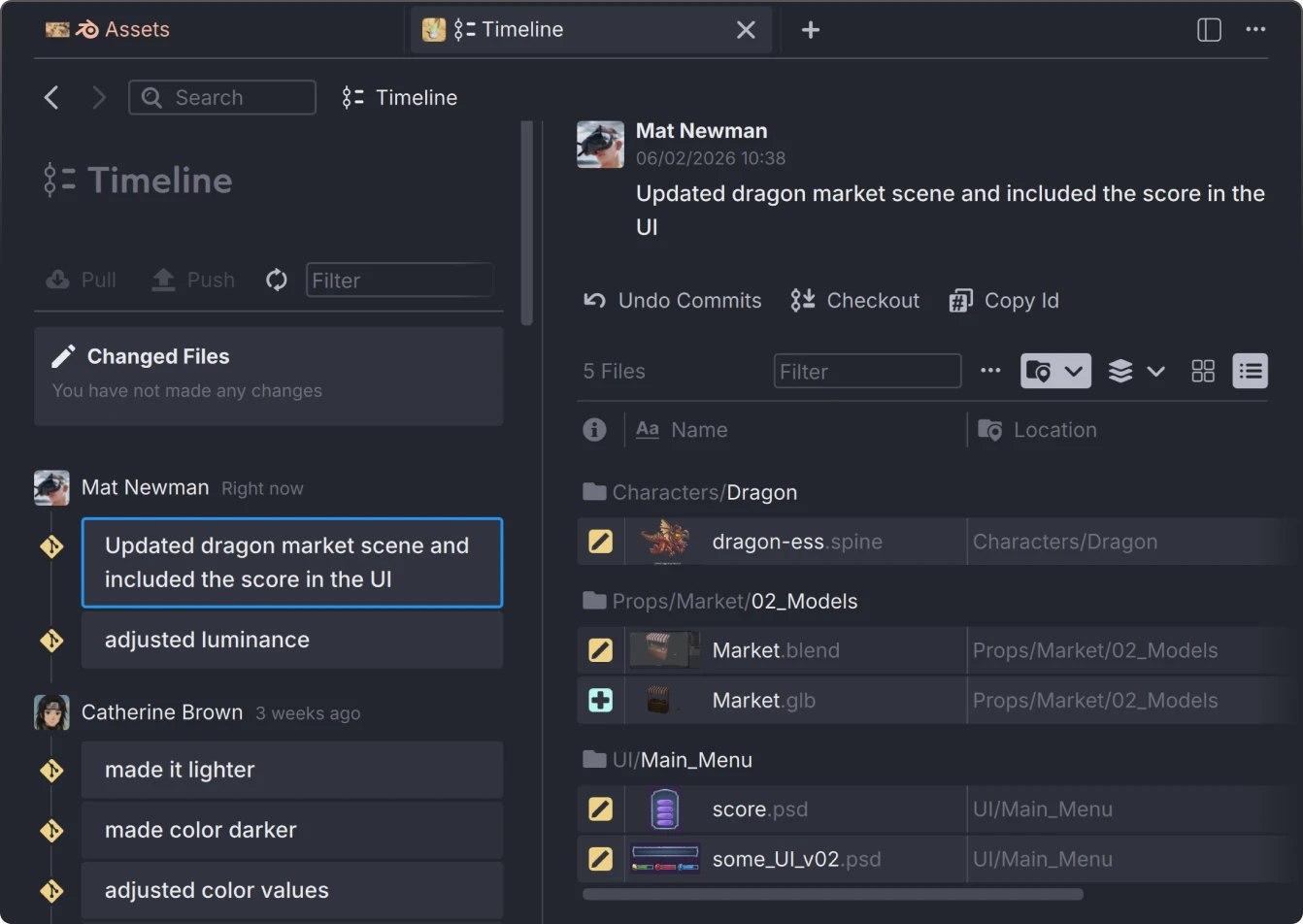
Keep track of every change without digging through folders. Anchorpoint provides a visual history of your project, showing you exactly who added or modified an asset.

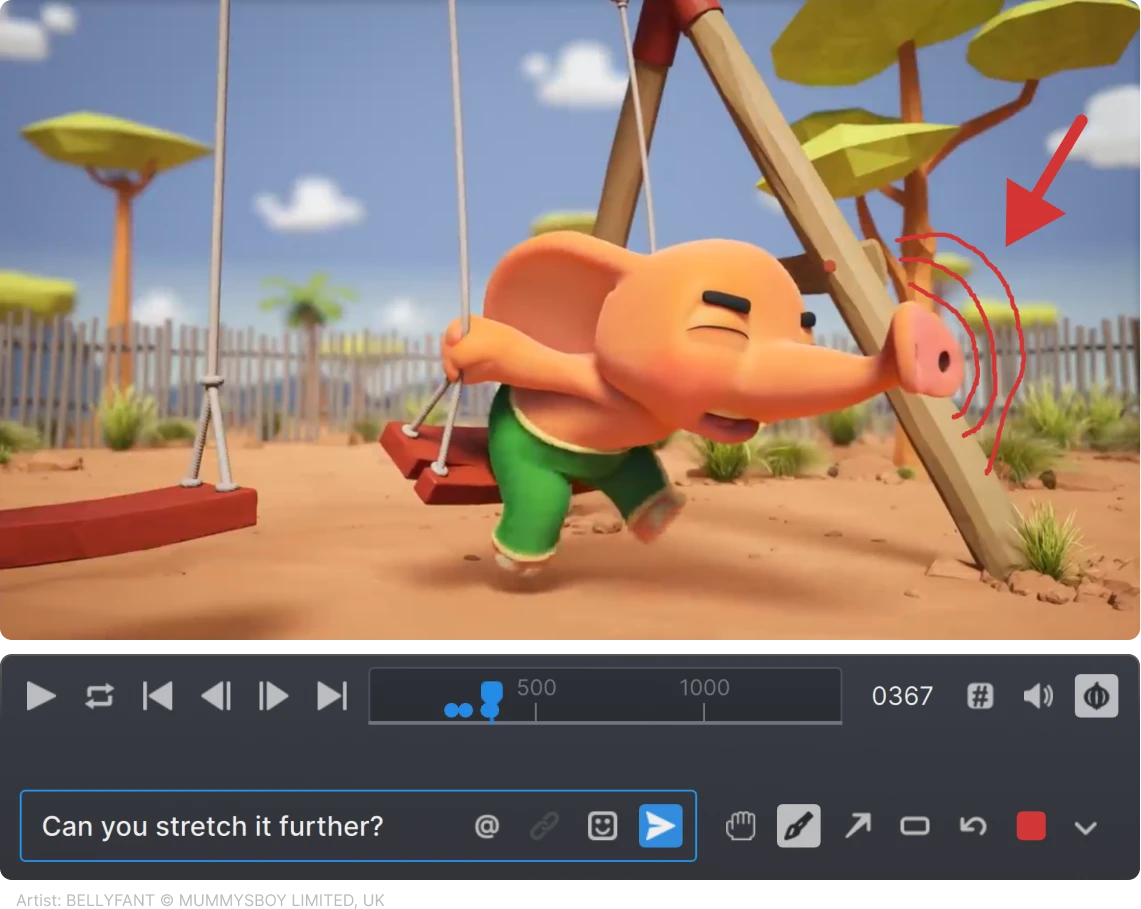
Anchorpoint allows artists to flag their assets for review and sends a notification to the lead when an asset is ready for inspection.
Anchorpoint enables you to leave specific notes directly on assets, providing the context needed to improve an item until it is ready for the final product.
Anchorpoint heavily increases efficiency for studios like ours. All the relevant information and files are in one place, so you don’t need to manage multiple tools.
Attributes are interface elements in Anchorpoint that can be added to any file, folder, or tasks. Using Attributes, you can create shot lists, asset databases, or build task lists.
Anchorpoint does not host your files, ensuring there is no vendor lock-in. It requires an existing Git server, such as GitHub, or a self-hosted solution. You can also work with Dropbox if your workflow requires it.
You can apply asset management features such as tagging or commenting to any file and use a custom thumbnail. Anchorpoint can generate thumbnails for common image and video formats such as png, mp4, etc., as well as psd, psb, exr, hdr, tif, tga, svg, ai, pdf, obj, gltf, glb, fbx, blend, c4d, uasset, umap, sbs, sbsar and other industry-relevant file formats.
Anchorpoint does not create a database file alongside the original files. It shares the metadata through a cloud service that runs in the background. This ensures that your team receives real-time updates and notifications when, for example, you add a comment with an @mention.
Anchorpoint takes care of the metadata (tags, comments, templates, etc.) to make these assets easier to manage. Dropbox and Google Drive sync files, but they don't have a way to organize your assets outside of normal folder structures. Anchorpoint has a much richer system that you can use to organize your assets. It also allows you to perform reviews and approval steps.
Yes, you can self host the server on your system if you subscribe to an Organization pricing plan. See our pricing page for more information.
Not at all. We focus on non-technical users who want to do their work with as little interaction with the production pipeline as possible. Anchorpoint handles the technical "Git" parts in the background, providing you with a simple interface for file distribution and asset reviews.
Anchorpoint is 100% compatible with Git but extends it by adding a cloud-managed metadata system. This allows for centralized configuration and a file-locking system capable of locking 1,000 files in under a second—features essential for game development that standard Git lacks.
Yes. There is an API that you can use to build integrations to other applications and to extend the UI of Anchorpoint.