Version Control for Unity

Git made simple for Unity

Anchorpoint provides the simplest way to use Git with Unity. It manages file locks and heavy binaries automatically.

  • Lock prefabs, scenes and assets to prevent merge conflicts
  • Commit directly from the Unity Editor
  • 100% Git compatible
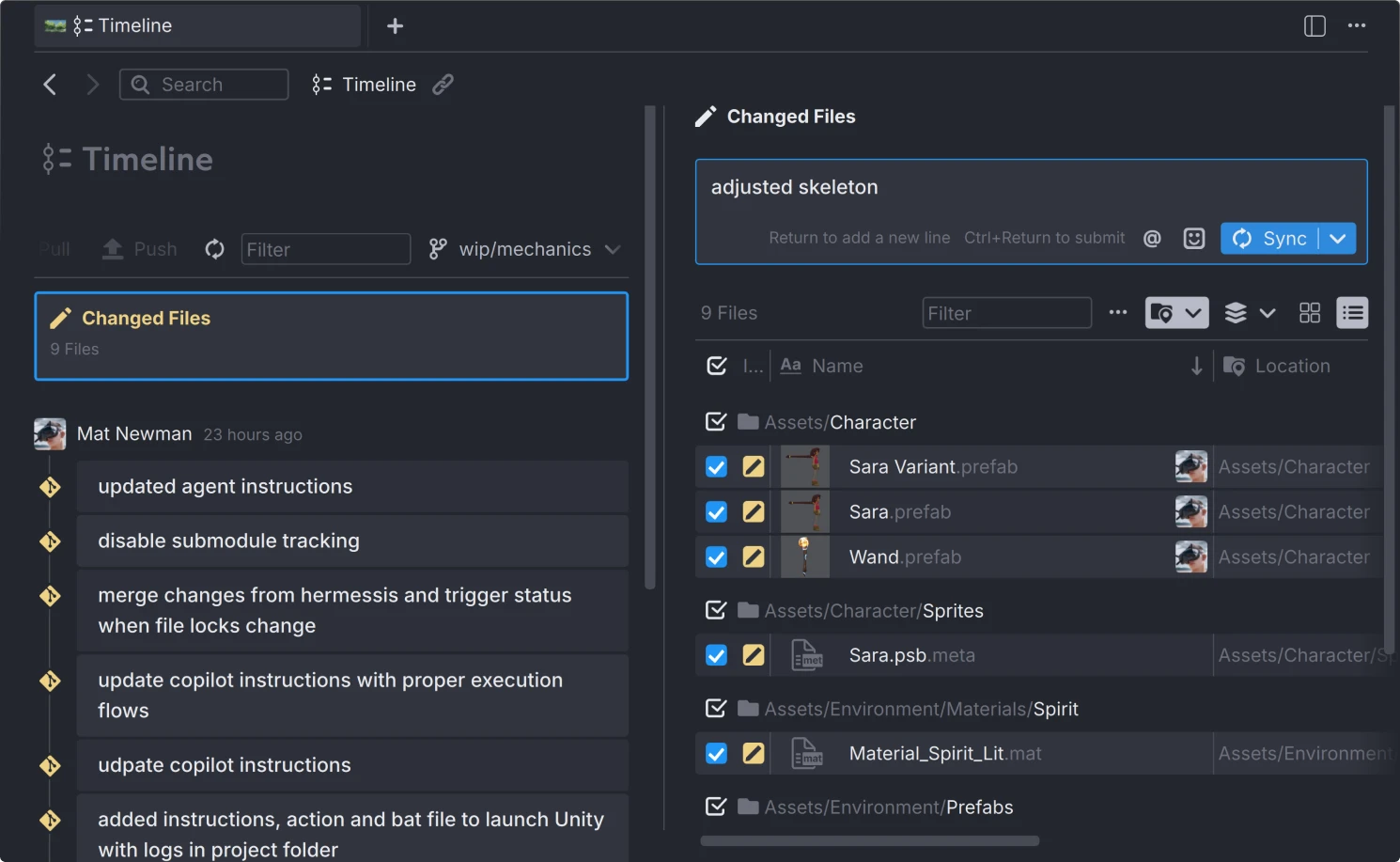
Git interface showing timeline in Anchorpoint with changed files and commit messages related to Unity project assets and scripts.

Version control for Unity with large file support and without vendor lock in

Anchorpoint lets you work with GitHub, self hosted servers or any other Git provider. Get it up and running in minutes. You don't have to worry about configuration at all.

Native Unity integration

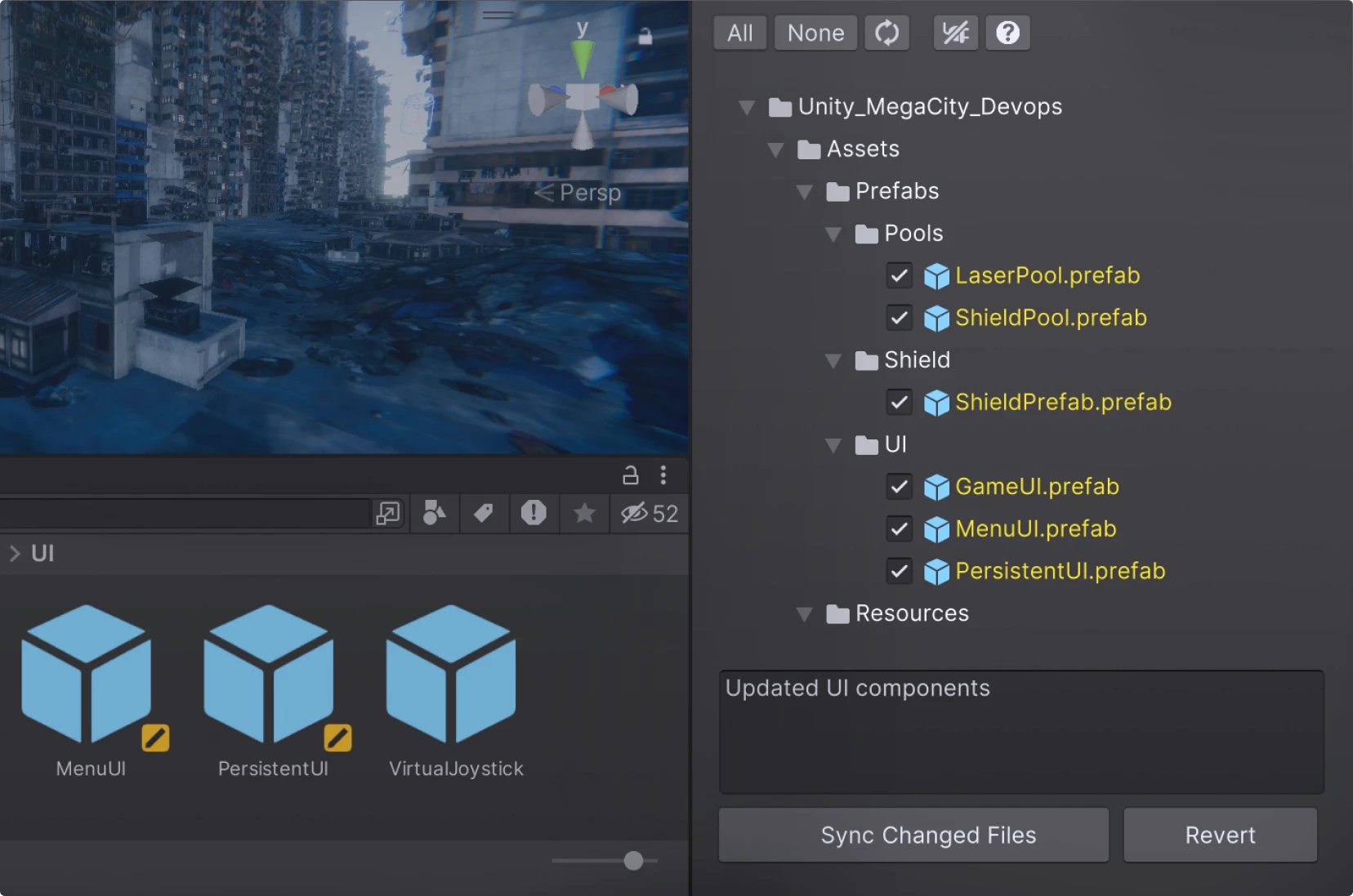
Monitor file locks and commit your work without ever leaving the Editor. Our plugin is built to ensure Unity respects your team's locking status in real-time.
Visit
Unity development interface showing the Anchorpoint plugin and a 3D urban scene and a file explorer with prefabs for laser pool, shield, and UI components.
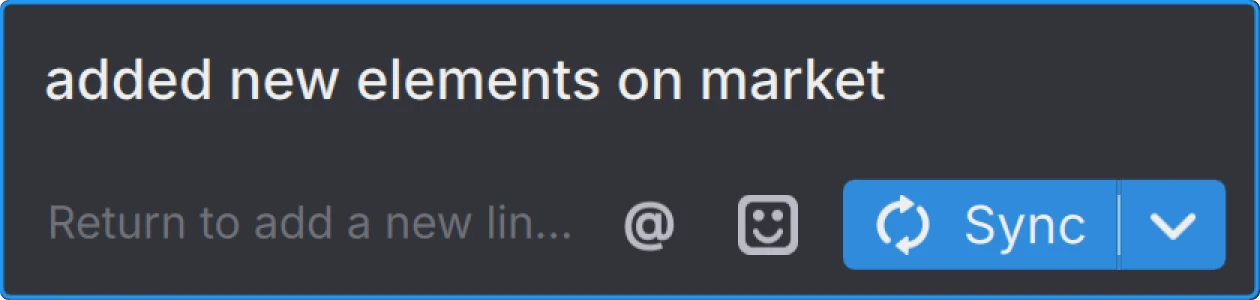
Text input area in Anchorpoint displaying 'added new elements on market' with icons for mentioning, emoji, and a blue 'Sync' button.

One-Button Solution

Anchorpoint automates complex Git operations so non-technical users can focus on their work.

Explicit file locking

Lock files automatically on modification or manual if you need it.
Interface showing two files named Playground.unity in Anchorpoint and Playground.unity.meta, with the first file locked by Catherine Brown.
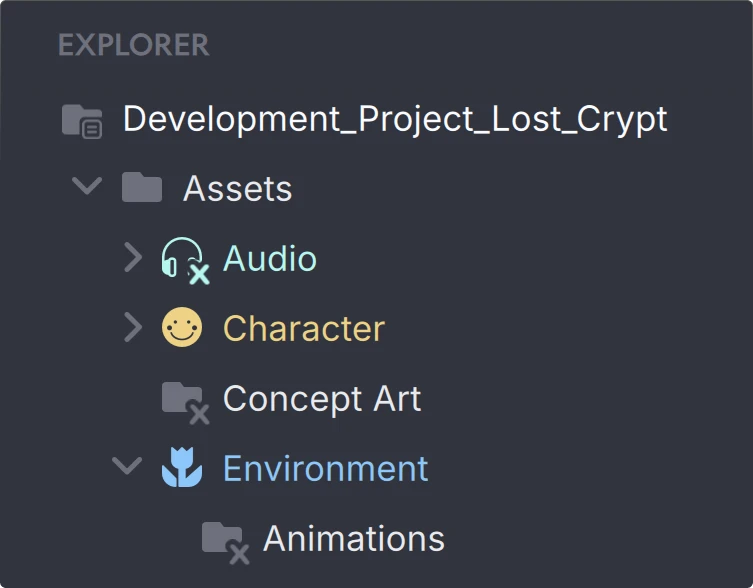
A project explorer panel in Anchorpoint with Git sparse checkout showing folders for Development_Project_Lost_Crypt with subfolders Assets including Audio and Character, Concept Art, and Environment with Animations folder.

Selective checkout

Sync only the specific subfolders and files you need to stay productive and save disk space.

Automatic LFS configuration

No need to configure .gitattributes files.

Submodule Support

Effortlessly reuse components and manage access control across your projects.

Notifications

Notify your team when you push a commit so they know exactly when to pull or start a review.

Anchorpoint makes it easy for our team of designers and developers to collaborate with our Git workflow. It works seamlessly with GitLab and allows us to centralize all our project working files.

Cristal Sung
Technical Program Director
ASTOUND Group

Frequently asked questions

Collaborate in Unity

Built-in LFS support, no configuration and an artist friendly user interface.
Connect it to GitHub or any other Git provider and start committing.
customer logoastound logocustomer logocustomer logocustomer logo

Version Git-based version control

Tutorials and articles from our blog