Discover the best version control tools for game development in 2026, including Git's free flexibility versus Perforce's AAA scalability; Anchorpoint's artist-friendly Git enhancements; Unity VCS integration; and SVN old-school reliability.
George Neguceanu
30 Jan 2026
Updated on
30 Jan 2026
8
min read
Content
TL;DR: Selecting a version control for game development comes down to team size, asset types, hosting, security needs, budget and usability.
Best Git-compatible for game development teams: Anchorpoint (file locking, LFS, artist-friendly).
Top Unity-native experience: Unity Version Control (Plastic SCM).
AAA-scale leader: Perforce.
Max dev flexibility: Git + LFS.
Easy centralized locks/legacy: SVN.
Why do you need version control?
Game development involves working with large files, such as 3D models, textures, audio tracks, animations, and code. For this reason, version control is always recommended for your projects, even if you are working alone. A robust version control for game development allows you to:
Back up your work online and have the ability to revert to older project versions.
Synchronize and share your work with other team members.
Keep a detailed project history with each commit.
Lock your files to prevent conflicts.
Work on different branches and merge them into the main branch when needed.
Git, Anchorpoint, Unity VCS (Plastic SCM), Perforce and Subversion are all good choices for version control.
Centralized vs. Distributed Version Control
Centralized version control (CVCS) software, such as Perforce, excels at managing large quantities of binary files and offers sophisticated access controls. However, it is primarily used in enterprise and legacy environments.
Pros: Granular file/folder permissions, scales to massive teams/terabyte repos, efficient binary handling with locking, and centralized control for strict workflows.
Cons: Single point of failure (server downtime halts work), no offline support, slower branching/merging, and expensive/complex setup.
In recent years, distributed version control systems (DVCSs), such as Git, have become more popular due to their speed, lack of a single point of failure, and ability to work offline.
Pros:Offline-first with full local repos, fast branching/merging, no vendor lock-in; vast free ecosystem, and cost-effective/open-source options.
Cons: Higher local disk usage, weaker access controls, needs LFS for binaries, and has a steeper curve for artists (unless a GUI/Git-compatible client is used).
Best version control tools for game development
Anchorpoint
Note: We are the developers of Anchorpoint, but we strive to be objective.
Anchorpoint is a Git-compatible version control system designed for artists. As a version control for game development itprovides all the advantages of Git, along with additional features essential for game development workflows, including file locking, single-file operations, selective checkouts, and a user-friendly interface. Moreover, Anchorpoint can display thumbnails of files such as FBX, UASSET, BLEND, C4D and more, and it comes with preconfigured Git LFS and a .gitignore file template for most game engines.
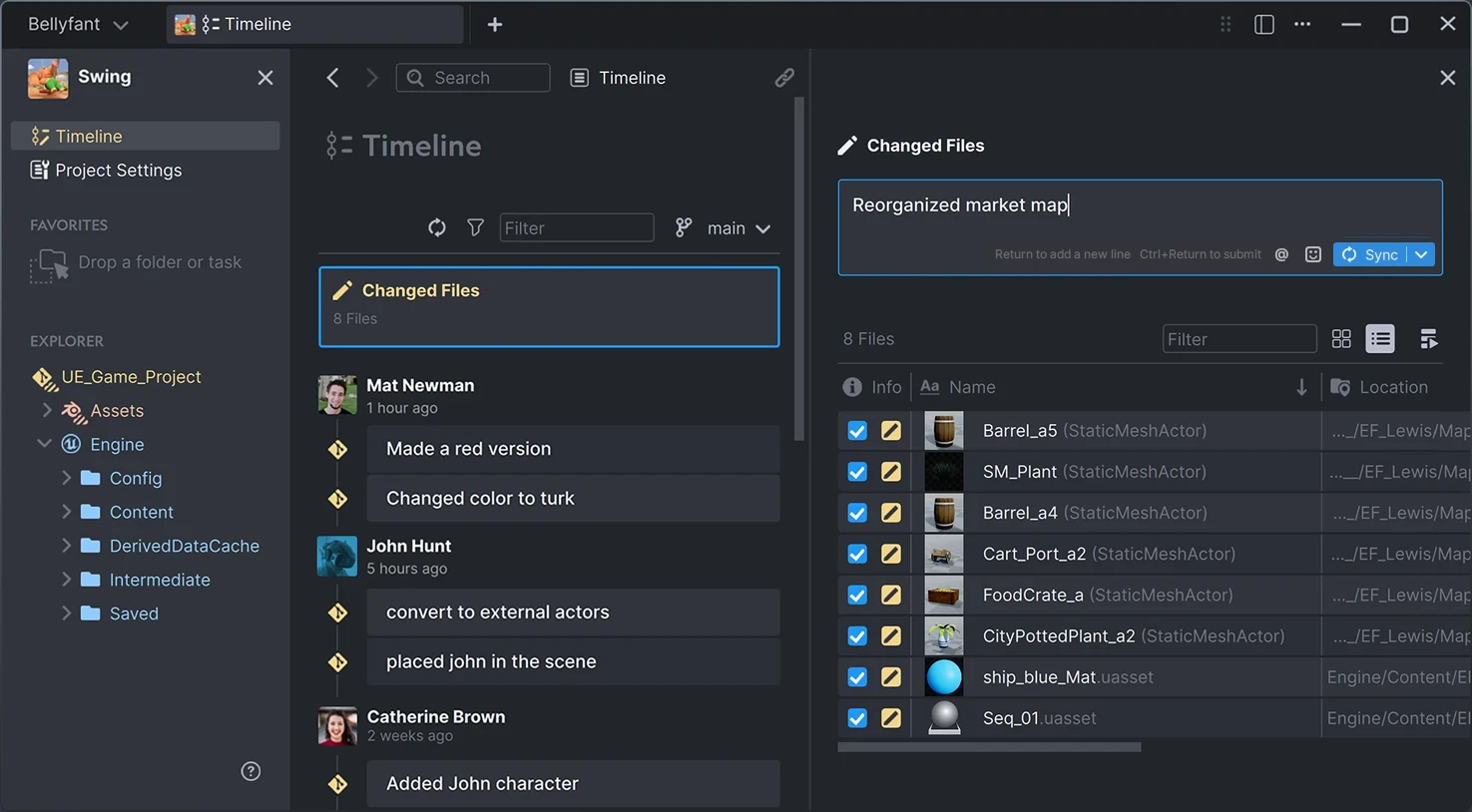
Preparing a new commit in Anchorpoint
Pros:
Improved workflow: Good single-file operations, strong performance on heavy projects, eliminates Git config hassles for binary files.
Selective checkout: Can handle large repos by syncing only needed files via Git sparse-checkout.
File locking: Custom file locking system to prevent team conflicts.
Thumbnails: Displays previews for game dev formats (PSD, UASSET, BLEND, FBX, GLTF and more).
Asset management: Build folder structures and tags to streamline Blender, Maya, Cinema 4D workflows.
Unreal/Unity plugins: Commit changes straight from the editors.
Cons:
Lacks advanced Git dev features: No pull requests or multi-branch views; use Fork/SourceTree instead.
Not free: Proprietary with free tier; subscriptions needed for advanced features.
Git limitations: Limited access controls.
Best for: Game development teams of any size and engine type, especially for those working with Unreal and Unity.
Git with Git LFS
Git is the most popular version control system, with the largest ecosystem of tools, including editor extensions and desktop applications, as well as cloud services such as GitHub, GitLab, and Azure DevOps. This makes Git an excellent choice for teams of all sizes.
Git has a command-line interface by nature, but there are plenty of Git clients, such as SourceTree, GitHub Desktop, and GitKraken. With Git LFS installed, it can also handle large binary files quite well and prevent file conflicts by using file locking.
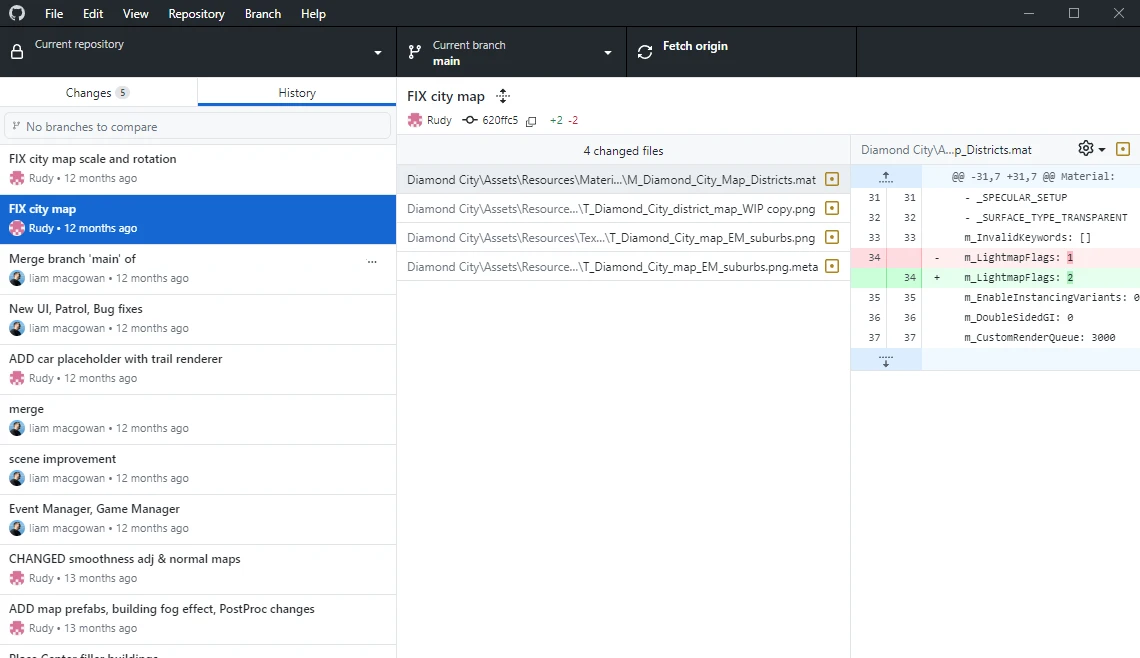
Project history and diff with GitHub Desktop
Pros:
Largest community: Abundant guides online; most developers know Git for easy onboarding/outsourcing.
Free: CLI, GitHub Desktop, and free cloud tiers (e.g., GitHub) provide full version control.
Open source: Vast tools, scripts, add-ons; easily extend with custom ones.
Many clients/services: Wide Git-based options (desktop/cloud) at low cost; all compatible, no vendor lock-in.
Offline capable: Works without internet.
Very fast: Instant branches/merges; local commits with background uploads.
CI support: Built-in tools on hosts like GitLab for game builds (cloud/local runners).
Superior branching: Isolated feature/bug work; easy merges to main.
Cons:
High disk usage: Decentralized design stores full history locally (~2x assets folder size).
Artist-unfriendly: Confusing for non-devs without command-line/desktop guidance.
Weak file locking: Git LFS is slow/subpar for binaries; requires manual config (.gitattributes or track commands).
Poor access controls: Lacks fine-grained restrictions for enterprise needs.
Best for: Solo devs, small teams, medium teams, or code-heavy prototypes.
Perforce
Perforce is primarily used in AAA game development and is celebrated for its scalability and robust access controls. It is particularly favored by engines like Unreal thanks to its ability to handle large binary project files. Perforce dates back to the 1990s and is older than Git.
As a centralized system, Perforce requires a constant internet connection, which makes it slower than Git, but it is far more scalable for large teams and projects. Users typically self-host the server locally, on a DigitalOcean droplet, or on an AWS EC2 instance. Teams with fewer than 50 members can choose Helix Core Cloud, Perforce’s fully managed hosting solution.
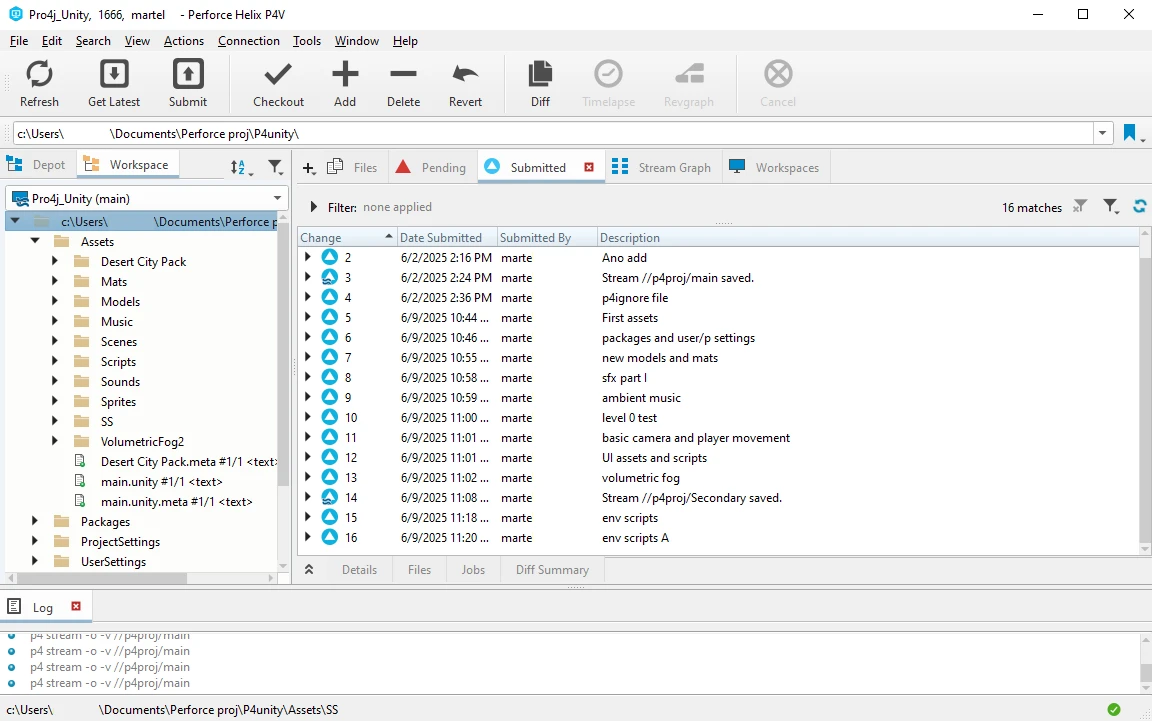
An Unity project managed with Perforce P4V
Pros:
AAA standard: Powers most of the big studios (CD Projekt Red, Ubisoft, Activision) and Unreal projects.
Single-file efficiency: Submit individual assets without full project syncs.
Highly scalable: Handles TB repos and massive file counts effortlessly.
Granular security: File/folder-level access, more precise than Git.
Asset management: Helix DAM (2023) offers integrated web-based browsing/reviewing.
Cons:
Expensive: Hidden pricing; high per-user costs (Assembla/Helix Cloud); DAM requires extra license.
Outdated UI: Feels clunky vs. modern tools; P4-One client is better, free, but local/server-bound.
Weak branching: Streams are structured but slower/less intuitive than Git.
No offline support: Centralized; work halts on disconnects, submissions restart.
Vendor lock-in: No flexibility in hosting or apps.
Reconciliation delays: Tedious/long for unchecked-out changes (e.g., engine builds).
Best for: Mid-to-large studios that ship high-fidelity games.
Unity Version Control (Plastic SCM)
Unity Version Control, formerly Plastic SCM and acquired by Unity in 2023, is an optimized version control system for handling massive binary assets, such as textures, models, and animations, which are common in Unity projects. It offers both cloud-hosted and on-premises deployment options and features a standout Gluon mode that provides a simplified, GUI-driven interface for non-technical artists.
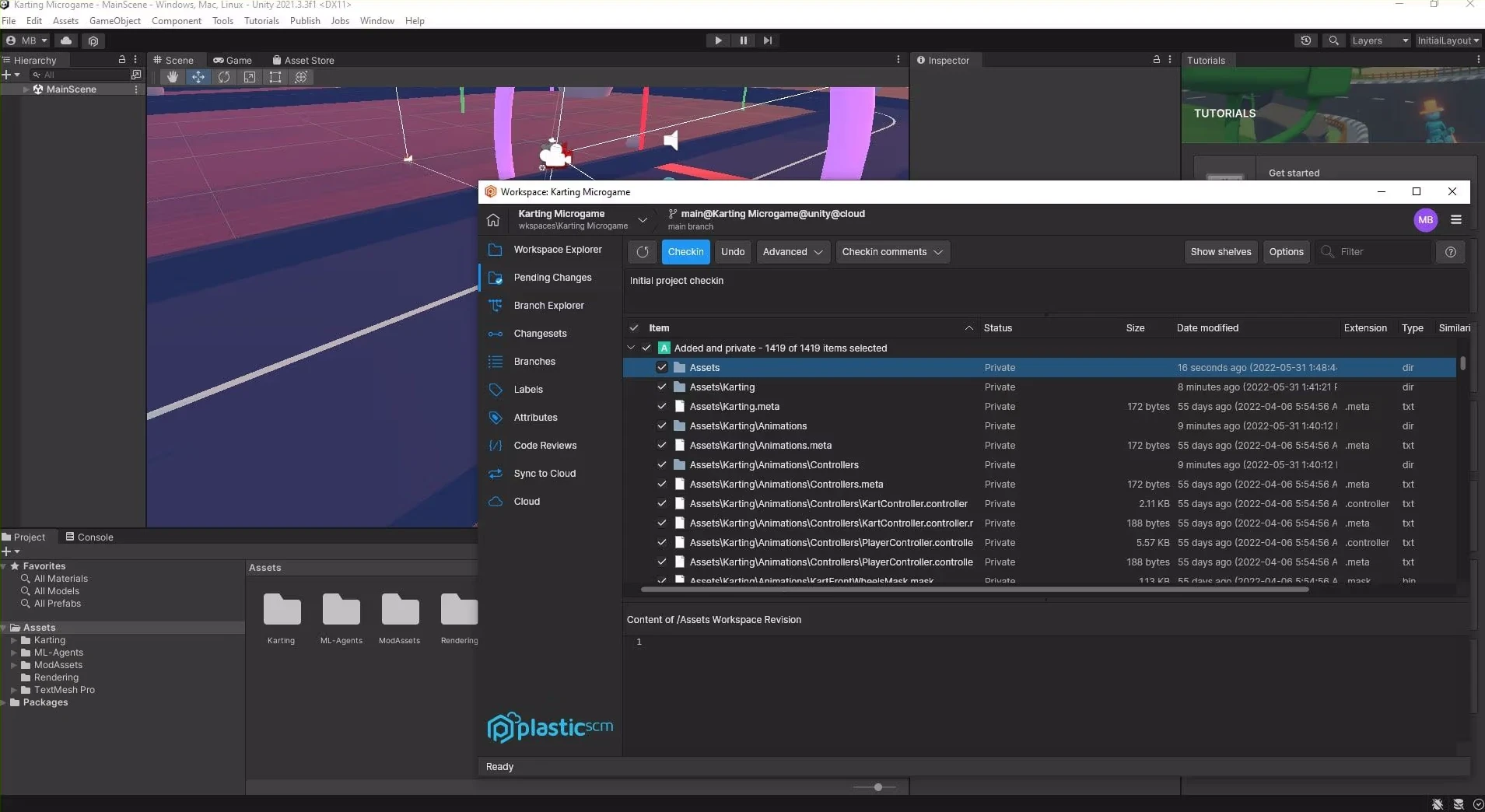
A checkin with Plastic SCM and Unity
Pros:
Unity integration: Submit versions directly from editor; seamless repo setup via Unity Hub.
Responsive client: Smooth, modern UX in desktop app.
Strong branching: Git-like with visual representations.
Binary-friendly: Handles binaries out of the box, no config needed.
File locking: Prevents merge conflicts.
Dual clients: Full Plastic SCM + simplified Gluon for edits/checkins.
No self-hosting: Enterprise-only; tied to Unity cloud.
Vendor lock-in: Limited to Unity ecosystem.
Weak thumbnails: No previews (e.g., FBX); relies on filenames/descriptions.
Best for: Unity teams of any size, less optimized for non-Unity engines like Unreal.
SVN
Apache Subversion (SVN) is a mature open-source centralized version control system that has been a staple since 2000. It offers reliable atomic commits and built-in file locking to prevent conflicts on binary game assets, such as models and audio files. SVN is completely free and has simple, linear histories that are ideal for small, sequential workflows. It excels via user-friendly graphical user interfaces (GUIs), such as TortoiseSVN on Windows, or command-line tools. Although it is overshadowed by Git and Perforce in modern game development, SVN powered legacy projects at studios like Blizzard and remains a viable option for small teams looking to avoid complexity.
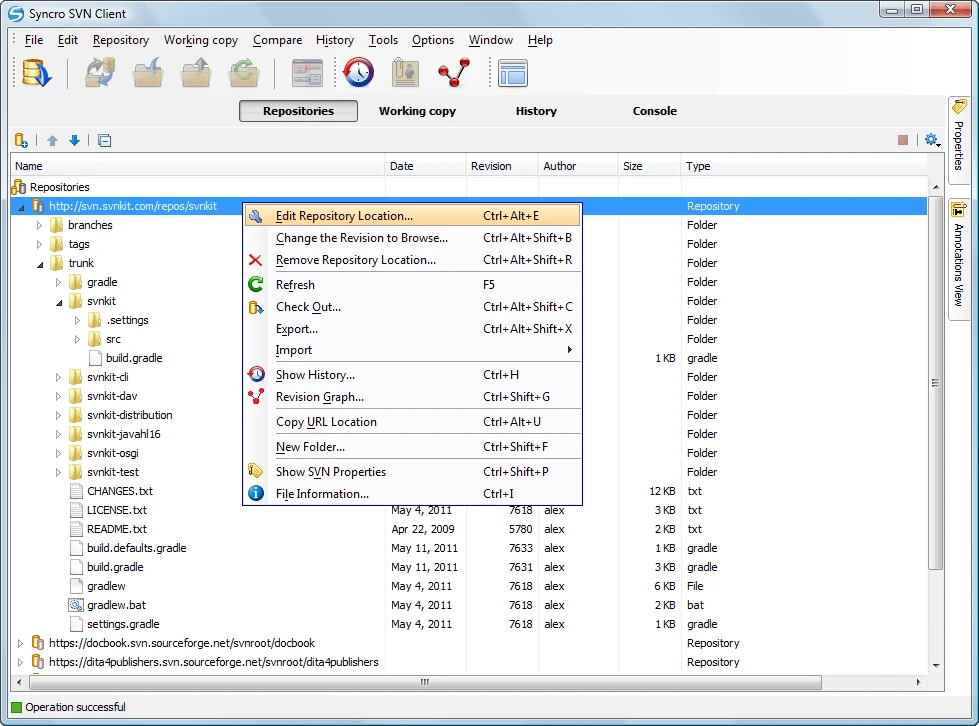
A repo managed with SVN and Syncro SVN Client
Pros:
Atomic commits: All-or-nothing changes ensure data consistency.
File locking: Prevents conflicts on unmergeable binaries.
Granular access: Centralized for strict file/folder permissions.
Binary-friendly: Efficiently manages assets.
Open-source: Free, community-maintained.
Cons:
Performance issues: Lags on large codebases/long histories.
Limited branching: Less flexible/slower than Git.
No offline support: Central server required.
Few hosts: Scarce options vs. Git.
Slow development: Updates have stalled recently.
Best for: Best for solo devs or micro-teams on basic prototypes sticking to old-school reliability.
Honorable mentions
Diversion: A cloud-native version control system designed to simplify collaboration and workflow management, particularly for Unreal game development and creative projects.
Mudstack: Specialized asset management platform that integrates with Git/Perforce/UVCS, offering automated tagging, dependency graphing, and CDN delivery for textures/models.
Quick picks
Best for small teams: Git+LFS, Anchorpoint, SVN
Best for AAA projects: Perforce
Best for Unity: Unity VCS, Anchorpoint
Best for Unreal: Perforce, Anchorpoint
FAQ
What’s the best version control for AAA game studios?
Perforce is the industry standard for large studios and Unreal Engine projects. It offers superior scalability for terabyte-sized repositories, granular security, and single-file efficiency. However, it is expensive and lacks offline support.
Best version control for indie/small teams?
Git (free, flexible clients/services, offline) or Anchorpoint (Git-enhanced for binaries/assets, artist friendly UI). Unity Version Control if Unity-focused.
Is Git suitable for game development with large binary assets?
Yes, but it requires a Git LFS configuration for binaries, such as textures and models, which can be tedious for artists. It’s free, fast, and capable of working offline. It has massive community support, though it uses twice the disk space and has weaker file locking.
Which version control tool is best for Unity developers?
Unity Version Control (Plastic SCM) seamlessly integrates into the Unity Editor/Hub. It handles binaries out of the box and offers file locking and strong branching. However, it is tied to Unity’s cloud (Enterprise for self-hosting), which results in vendor lock-in.
How does Anchorpoint improve version control for game development?
Anchorpoint enhances Git with thumbnails for most graphical formats, file locking, selective checkout, asset tagging, and Unreal/Unity plugins, streamlining workflows for heavy projects.
Can I work offline with these version control tools?
Git and Anchorpoint (Git-compatible) excel with local operations. Perforce, Unity VCS, and SVN are centralized, which halts work during disconnects. Git’s local commits and uploads make it the top choice for offline game development.