Teamcenter alternatives in 2026
Discover our top five Teamcenter alternatives, featuring the pros and cons of each and transparent pricing models for hardware and 3D creators.
July 6, 2026
6
min read

TL;DR
Most game studios look for alternatives to Subversion because SVN handles large binary files and file locking well, but lacks Git's modern branching and speed. Anchorpoint provides a version control solution that is 100% compatible with Git and as simple as a file browser for artists to use. It resolves the Git vs SVN debate by offering Git's power alongside SVN's ease of use for non-technical team members.
Developed by CollabNet in 2000, Subversion (SVN) is the granddaddy of version control systems and was widely used in the early 2000s and 2010s. In 2009, it became Apache Subversion and was distributed as open source under the Apache license.
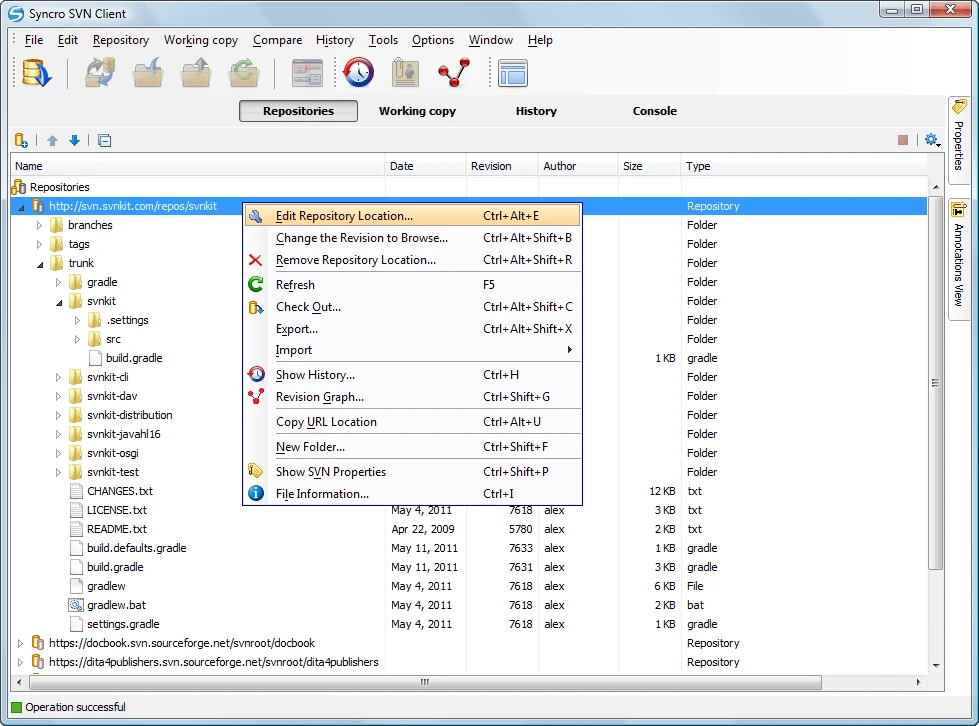
Already since the 1990s with the forerunner of SVN, which was called CVS, as software and game development became more complex, the need for a version control system became more apparent to everyone and during the decades, and especially after 2010s, many systems have been created, some open source, some limited to their environments.
Most studios host SVN on their own systems, as there is no plug-and-play hosting solution like GitHub. However, the hosting provider Assembla allows you to have hosted SVN repositories in the cloud if you want to avoid the admin work. You would have to weigh up the cost of hosting against the time saved at your end.
If you are considering moving away from SVN, you have many alternatives to choose from these days. Typical reasons for moving away from SVN are limited MacOS support, consolidation of version control solutions (e.g. getting everyone on Git) or any other reason for moving to a more "modern" solution. It's worth comparing not only the version control solution, but also the ecosystem around it.

These days we have several systems that can help you develop and maintain your version control setup, starting with Git, the most popular open source system, with a huge community like GitHub, GitLab and so on, up to in-house professional systems like Perforce, or other cloud systems like Unity Version Control.
The Git vs SVN debate typically focuses on Git's challenges with large binary assets and complex configurations. Anchorpoint addresses these issues by adding a cloud-managed metadata system to Git. This system handles missing features such as locking 1,000 files in under a second, all while remaining 100% compatible with existing Git providers like GitHub. You get an industry-standard backend with a frontend designed for everyone, not just engineers.
Git is a widely used decentralized version control system, especially by open source developers, where even Epic Games hosts the Unreal Engine source code for its customers to build certain custom versions that are not normally released on the main Epic Launcher branch. It thrives in a vast environment of desktop and cloud applications and services, including GitHub, GitLab, and Azure DevOps, making it a great version control solution for teams of any size.
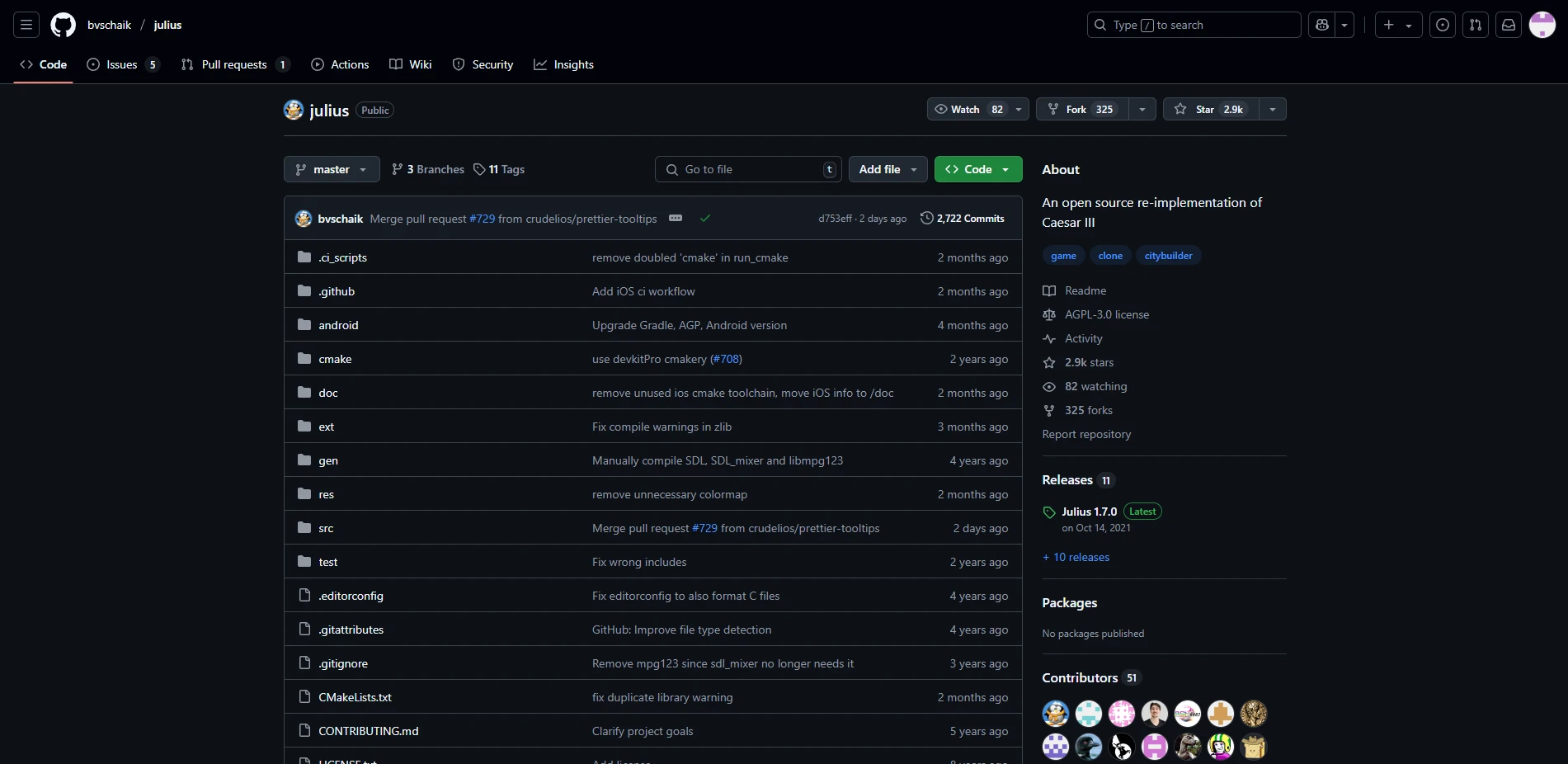
Acquired by Microsoft in 2018, GitHub has become one of the most popular cloud services for version control, especially for open source software. You can find the source for some game engines, game mods, Windows tweaks, just about anything you can imagine. You can join to participate in the development, or just use the source to build special versions if they are not already provided. At the same time, you can host your project, and if it is small, you can use it for free with some limits on bandwidth and storage. To commit to the cloud repository, you can use the Git commands or a desktop application like GitHub Desktop or Anchorpoint.
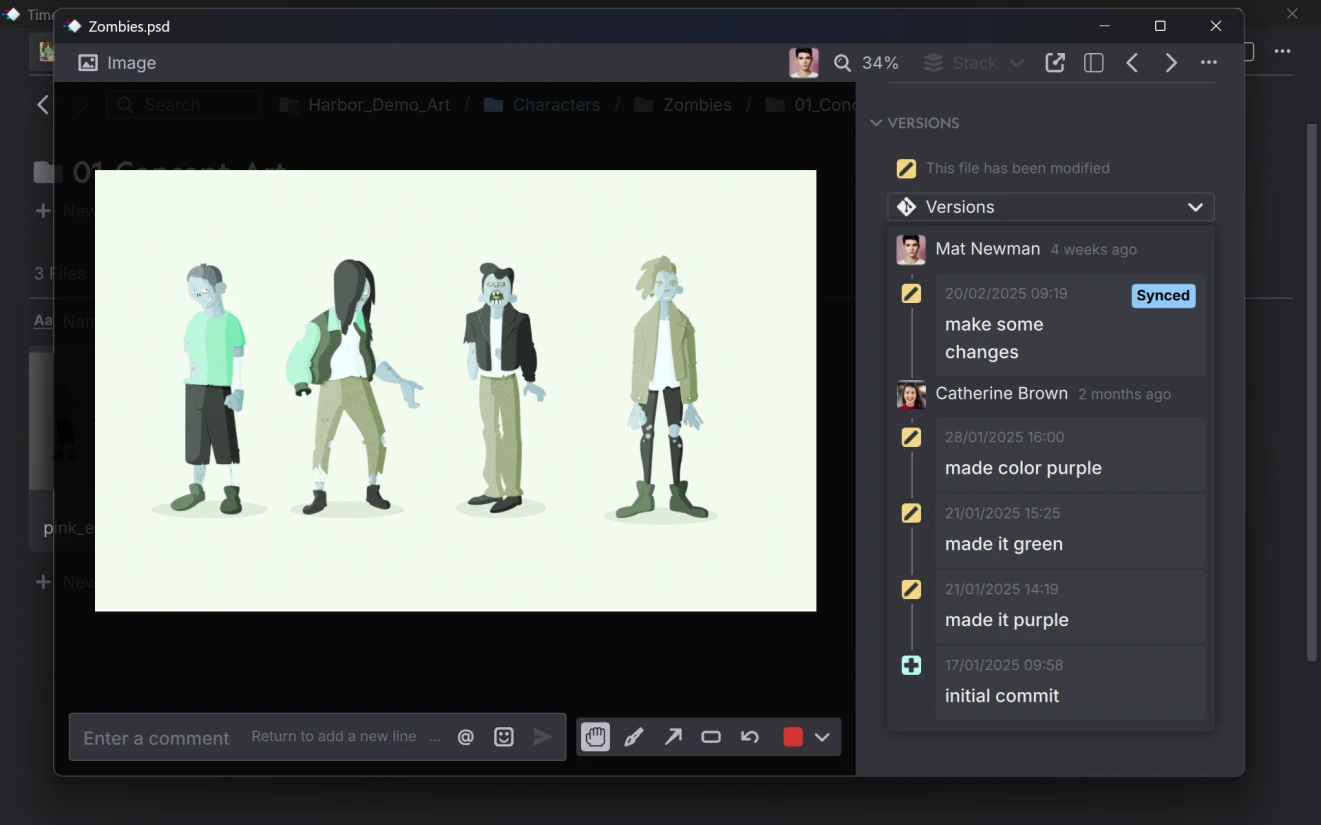
Based on Git and compatible with cloud providers like GitHub, GitLab or Azure Devops, Anchorpoint aims to be a more artist/designer friendly version control application. It has powerful features for handling file locking and single file operations, presets for .gitignore configuration, asset management with visual thumbnail generation, advanced file reviews and provides editor version control plugins for popular engines like Unity and Unreal.
| ✔ Huge community | ✖ No one-stop service |
| Almost every software developer knows how to use Git, which is great for onboarding and outsourcing development efforts. If you need help, there is a Stack Overflow answer for everything, and Chat GPT works as well. | In Git, there is no provider that offers everything from a single source, as is the case with Perforce and Unity DevOps, for example. If you are looking for a 5-minute setup, then you are better off with Unity Version Control. In Git you need at least 2 solutions. A desktop application and a cloud service. |
| ✔ Open source | ✖ Extra configuration for binaries |
| There are many tools, scripts, and add-ons for Git. It is developed by the community and also driven by companies like Microsoft, which owns GitHub. You can get free version control with the command line and some Git clients like GitHub Desktop, combined with the free tiers that cloud providers like GitHub offer. In addition to free solutions, there are many commercial solutions of tools and services for every use case. |
Git LFS requires additional configuration for binaries and does not work out of the box. You have to either edit a .gitattributes file or use the git lfs "*.psd" track command for each file type. Some Git-based applications like Anchorpoint take care of this out of the box. |
| ✔ It's fast | ✖ Lack of access control |
| Committing, branching, and merging is much faster than in Perforce because you don't have to wait for files to be uploaded to the server. Git caches them locally and uploads them in the background while you continue working. | Git lacks fine-grained access control compared to systems like Perforce, which can be a drawback in environments that require strict access restrictions. |
| ✔ Works offline | |
| Git is decentralized and works even when your internet connection is down. |
Mostly used in medium to big game companies, Perforce is a centralized version control solution with its own tools. It's very scalable, making it a good choice for big projects, but is a bit slower than Git, and it requires constant connection to a Perforce cloud type server.
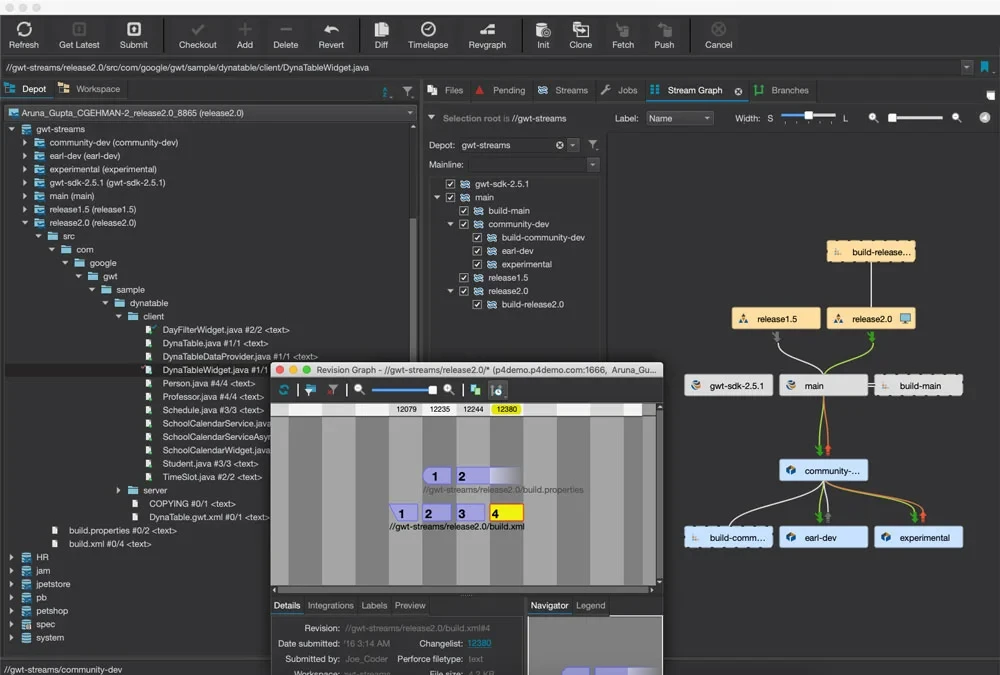
The core app has the best system for single file operation where it is not needed to update your project when you want to submit changes of single files, and has very reliable access control on a file and folder level, where you grant the whole access to a repository including all the files. Unfortunately it has a legacy type UI, which can be confusing for artists and designers to work with, along with elevated cost based on team size and addons like Perforce Helix Dam.
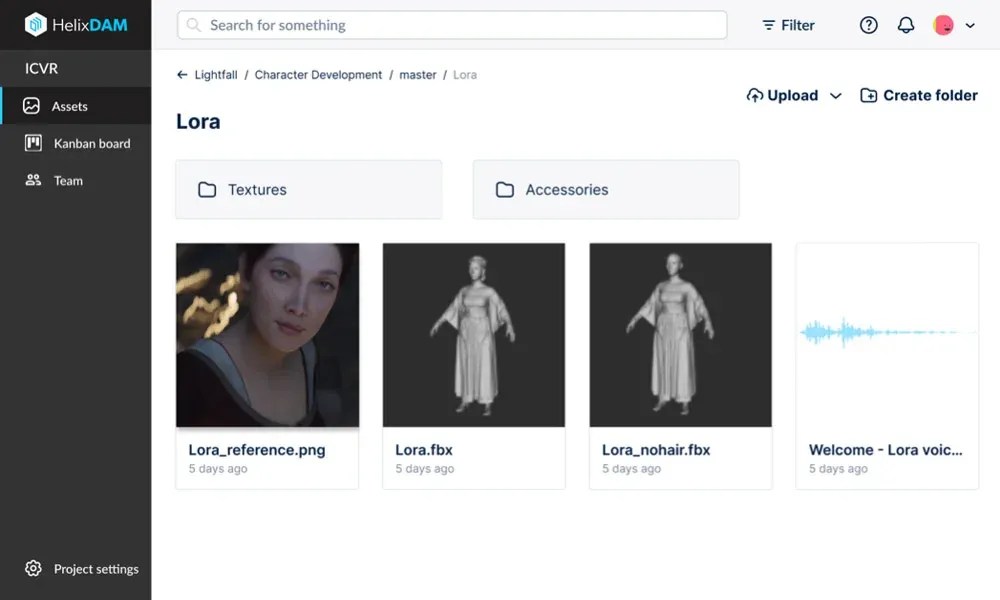
Helix Dam is a web-based asset management solution that integrates seamlessly with Perforce Helix Core. It allows users to efficiently search and review assets as their libraries grow, but requires an additional license in addition to Perforce Helix Core.
| ✔ Industry standard | ✖ Elevated costs |
| Large studios such as CD-Project Red, Ubisoft, Activision Blizzard are known to use Perforce in their productions due to the size of their teams and the complexity of the projects. | A Helix Code Cloud license costs $39 per user per month, if you would like to use the hosted Perforce service, with a maximum of 50 users. For self-hosting, Perforce does not publish its pricing. It also requires a separate license for Helix Dam. |
| ✔ Best single file operations | ✖ You cannot work offline |
| Unlike Git, Perforce does not require you to update your project when you want to commit changes to individual files. You can continue to commit an asset without interruption. | Because of its centralized design, you can't do anything if your Internet connection is down. Even if it's interrupted, a file submission must be restarted, which can be cumbersome |
| ✔ Access control | ✖ Vendor Lock-in |
| Perforce provides access control at the file and folder level. This is more granular than Git, where you grant all access to a repository, including all files. | It’s a closed system. You cannot choose between hosting providers and desktop applications. |
| ✔ Highly scalable | ✖ Reconciliation |
| Perforce is known for its tremendous scalability to TB-sized repositories. It performs well with huge file sizes and file counts. | If a file is modified without first being checked out in the Perforce P4 client, it must be reconciled to be reintroduced into the versioning system. This process can be time consuming, especially when integrating a new engine version from source. In contrast, Git does not have this problem. |
If you are using Unity as your game engine, it comes with its own version control, formerly called Plastic SCM, it can be used with other software as well. It’s a fast and responsive desktop client that can work with centralized and decentralized workflows, along with the Unity plugin.
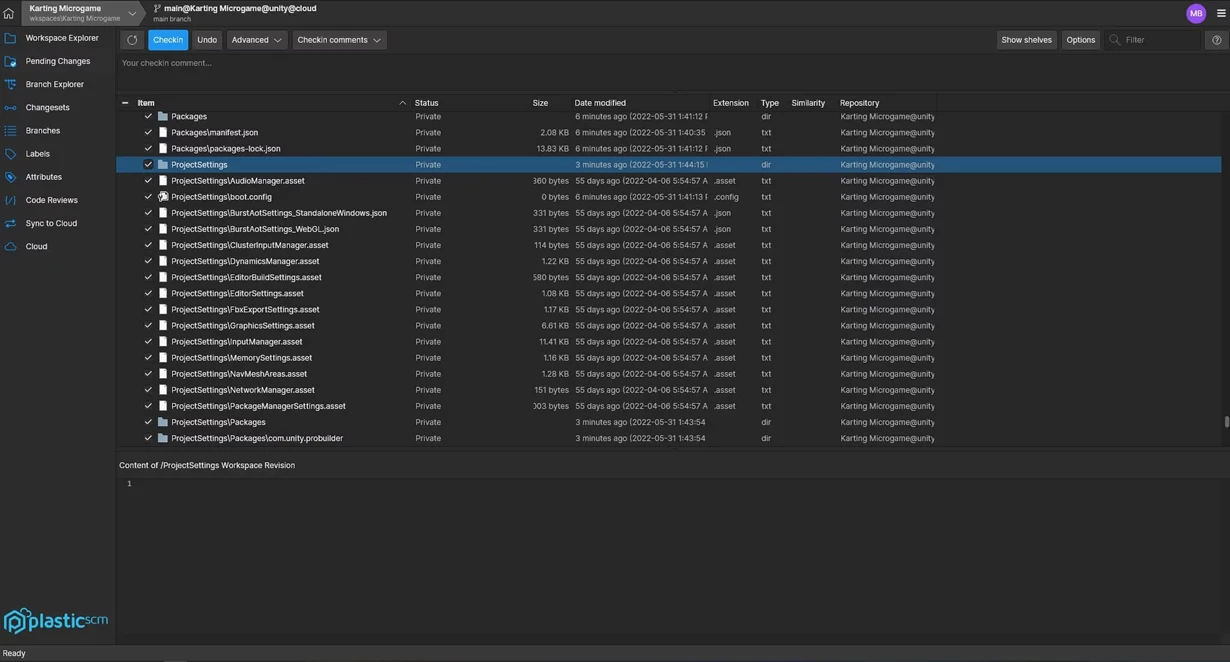
Unity Version Control can handle binary files without any configuration and provides file locking, but unfortunately you are locked-in just like with Perforce, where you have to rely on the Unity cloud and its desktop app for everything.
While the desktop application doesn't offer .fbx thumbnails, file reviews or tagging, the Unity plugin lets you use your editor's explorer to organize your assets. This is a little less optimal than a proper asset management feature, as you are gonna rely on filename and correct artist description for asset review.
| ✔ Fast and responsive client | ✖ Cannot self-host it in the cloud |
| Plastic has a great desktop application with a fast and responsive UI when it comes to viewing change lists or searching for files. | If you need more independence and want to host your own server instead of relying on Unity's cloud, you need to choose a typically expensive enterprise pricing plan. |
| ✔ Can deal well with binary files | ✖ Vendor Lock-in, not open source |
| You don't need to configure anything. It deals with binary files out of the box. | Unlike Git, where you can choose between cloud services and desktop applications. Since Plastic SCM now is part of Unity, it is mostly focused on the Unity engine. cumbersome |
| ✔ Has file locking | ✖ Cannot display thumbnails |
| You can lock files to prevent merge conflicts. | The desktop application cannot display FBX files, for example, so you have to rely on the filename and a correct artist description. |
| ✔ Branching as good as in Git | |
| Plastic's branching system is better than Perforce's and as good as Git's. |
Here and there, you might hear the term mercurial, especially on developer forums. Honestly, I have never seen this being used in a game development environment.
Alienbrain was developed as an artist version control solution for game development. However, the development of Alienbrain seemed to stop years ago, so I would not consider this as a “modern” alternative to SVN.
As a game developer, I have worked over the decades with all three ecosystems described in this article. For small to medium projects we used the nice and clean GitHub desktop application, later we moved to Anchorpoint for file locking and proper asset management (file tagging, filters, file reviews), and especially now for the Unity and Unreal plugins.
At large companies, I worked with SVN and later Perforce, as that is the standard these days, and it worked well as long as you have a DevOps officer or Programmer in charge of depots and access controls.
My recommendation is to use whatever is easier and suits your needs. While application X may be better than application Y, you can still use application X because you are very familiar with it, it is easier for you to use, and it may even speed up the overall version control process.
The biggest issue is that SVN is centralized. If your server goes down or your internet blinks, you can’t commit your work. Also, branching in SVN is "heavy". It essentially creates a full copy of your folders, which is slow and messy compared to Git. As teams grow, these bottlenecks usually lead them to look for subversion alternatives that offer better performance and more modern workflows.
Anchorpoint uses a specialized metadata system managed by our cloud to enhance Git’s capabilities. This enables near-instant file locking, locking 1,000 files in under a second, and ensures that artists won't overwrite each other's work on binary files.
If you want to migrate from SVN to Git, you can use the Git SVN clone command to do so (read our quick guide: Migrate from SVN to Git). It can act as a bridge during the transition, allowing your developers to use Git locally for fast branching and merging while pushing their final changes back to the main SVN server where the artists are working. This is a common "middle ground" for studios that want to modernize their code workflow without forcing the art department to suddenly switch to a new tool.
Plain Git wasn't designed for the multi-gigabyte files found in modern video games. To solve this problem, use Git LFS (Large File Storage). Git LFS is an extension that replaces large files in your repository with tiny text pointers and stores the heavy assets on a separate server. Anchorpoint does this automatically, so you don't have to waste time with .gitattributes and git lfs track.