Proper stashing
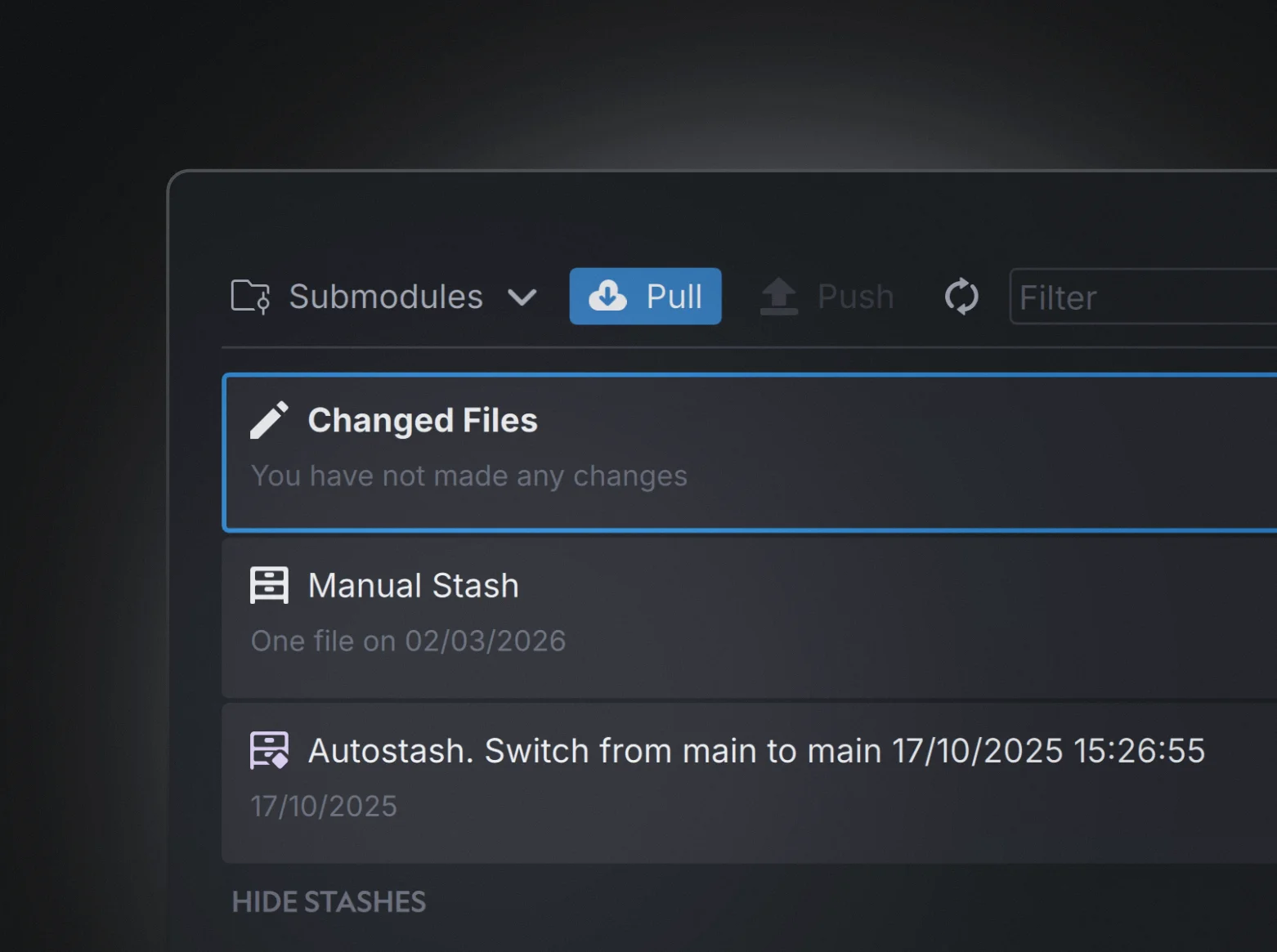
Anchorpoint now allows to create proper stashes as well as selectively moving files from stashes back to the changed files section.
Improvements
- Add a stash display and commands to create and apply stashes
- Change Undo to Dissolve Commit on local commits
- Show an option to stash when creating a new branch
- Detect nested .git repositories when creating a project
- Better logging of Git command sin the console
- Updated self-hosted API docs
Fixes
- Fixed an issue with restoring deleted files
- Show STEP files properly in the sidebar
- Fixed refresh issues in submodules
- Fixed an issue where the timeline loads twice
- Fixed several UI blocking issues during push process
- Fixed an issue with LFS files that have not been added properly to the repository
- Fixed an issue on freezing on pull
- Fixed an issue with “.” files in the favorites
- Fixed proper display of OBJ files in the sidebar
- Fixed an issue where the Git refresh index blocks the uber hook
- Fixed an issue where Unreal Engine locks files but does not unlock them after push
- Fixed a display issue where new files are hidden for a moment in the changed files
- Fixed tooltip issues
- Fixed an issue with submodule cloning not working properly in sparse checkout
- Fixed an issue where a user cannot commit if the cache is not matching the Git index
- Removed a misleading Git submodule error
- Fixed an issue with tabs on submodules
- Show a better error message for bitbucket repositories
- Fixed an issue with wrongly shown conflicted files
- Catch an issue when no space is left on the disc
Lock performance improvements
Improvements
- Clean up old locks to free up space and improve general application performance
- Added an option to show all locks, including the ones where files are not available
- Add proper selective checkout handling in submodules
Fixes
- Fixed an issue when the sidebar can disappear when the window size is too small
- Fix an issue where the channel sidebar was not cleaned properly on branch switch
- Don't show the submodule button in projects that don't contain submodules
- Catch the edge case when no space is left on the device, which causes Git issues
Branch switch improvements
This minor release includes improvements when switching branches and locking indicators.
Improvements
- Locked files page contains a new Attribute "Lock Owner", that allows to sort and and group the entries
- Handle the edge case when the Windows credential store is full and show proper guidance how to solve it
- Add the "CMD+Space" shortcut for macOS to open the external window preview
- Updated Git and Git LFS to the latest version
- Show proper progress on branch switch
Fixes
- Fix file watcher was broken after joining a repository in sparse state
- Fix image thumbnails are not loaded correctly
- Prevent flickering of changed files when changing the submodule
- Fix an issue where the conflict button was not shown
- Fix file writable check when switching a branch
- Fix conflict progress indicator is not shown after resolving the conflict
- Fix an issue when applying the Git URL

Git submodule support
If you want to reuse components such as plugins across projects, use shared libraries or work with external contractors and need better access control, submodules will make this possible. Anchorpoint fully supports Git submodules, by allowing you to switch between them and commit their changes. Proper guiadance and security mechanisms avoid the common pitfalls when working with Git submodules.
Submodule features
- Switch between modules and commit on a per module basis
- Protections from committing on a detached HEAD
- Protections from pushing updates in the root repository without pushing the submodule first. This can lead to pull errors for other team members.
- Reminding the team member to also update the root repository when submodule changes have been pushed.
- Reattaching the branch after checkout
- File locking across submodules
Improvements
- Added an option to set a custom email and Git author for commits
- Added an option to force delete the branch when you are not on it
- Added a tooltip on actor files to see the original file name
- Added a shortcut for the preview window using CTRL-space
- Support for Unreal Engine 5.7 actor files
- Polished branch manger UI to better see the available options
- Decoupled locking of text files from locking of binary files
- Support for Blender 5 file formats
- Merge the Python shared settings via the API on the server
Fixes
- Improved browser performance on network drives
- Fixed an issue with Attributes are not stored on network drives
- Fixed an issue of the detection of .gitattributes files in the changes files section
- Fixed the generation of .gitkeep files when creating a new folder
- Fix selective checkout issues where context menu entries have not been refreshed properly
- Fix restore files did not work when files have been rename in the history
- Fixed an issue with replacing thumbnails and reloading Anchorpoint
- Fixed an issue where the timeline does not show up after joining the Git repository
- Extend the error message for Azure DevOps when users don’t have permissions to push files
- Fixed an issue where 0KB files are shown as virtual files falsely
- Fixed an issue of reverting wrong selected files
- Fixed an issue of local commits that are not refreshing
- Fixed an issue of marking files for commits
- Fixed an issue of Anchorpoint showing false push notifications of already seen objects
- Fixed an issue of file previews in the Git history are not loading properly from the cache
Sidebar
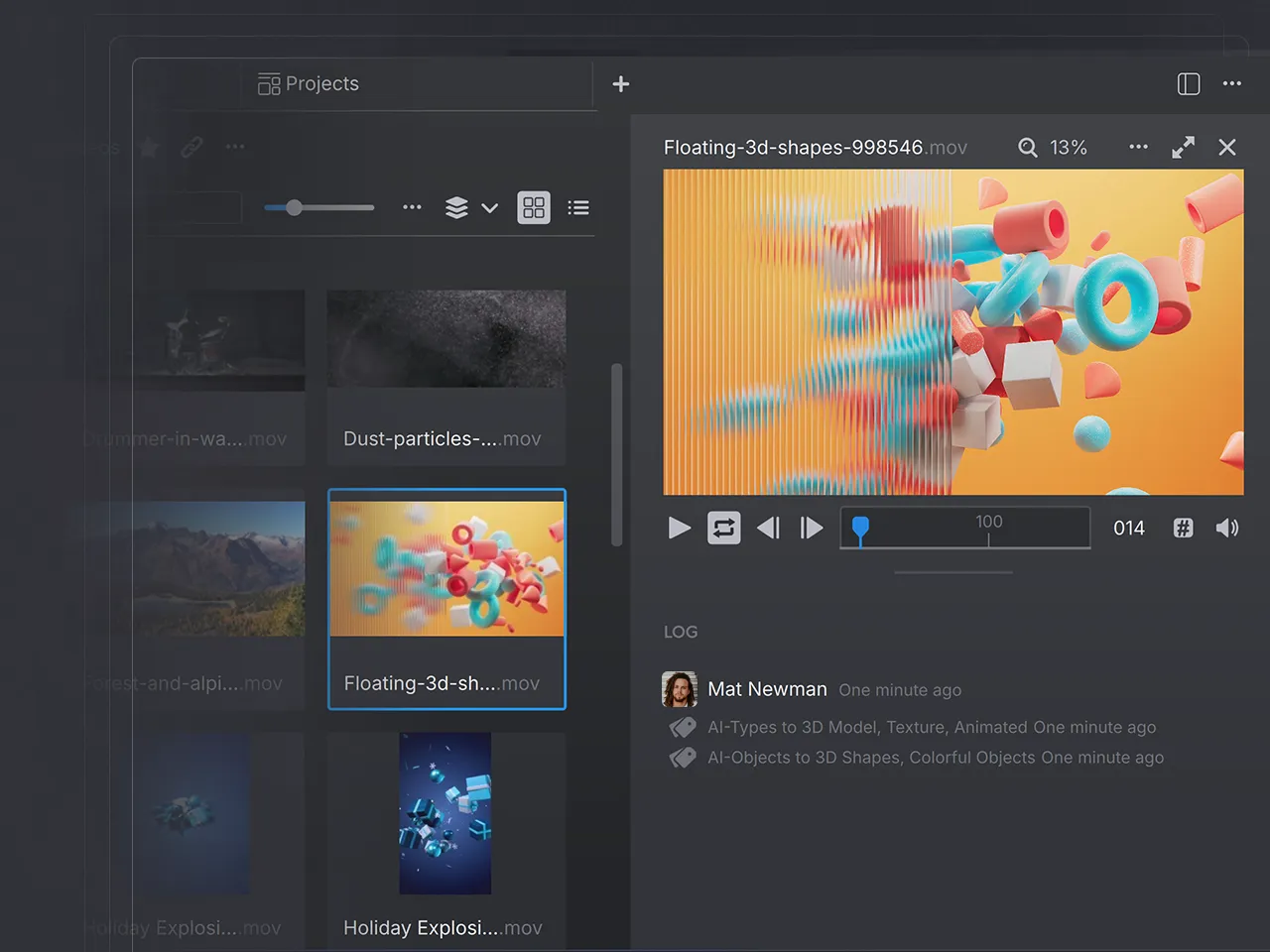
Meet the new sidebar, which will help you to quicker inspect your files, see diffs and view their Attribute changes. The sidebar is available on files, folders and tasks and the whole metadata changelog has been moved from the timeline to it.
Furthermore, this update contains several Git performance improvements such as a faster loading of changes, quicker timeline loading and no more UI flickering when e.g. syncing files. Another highlight is the updated binary syncing module that allows you to replicate the functionality of Unreal Game Sync by distributing game and editor binaries.
Finally, a Blender plugin has been added as well. You can now publish new file versions directly from Blender.
Improvements
- Added new sidebar with metadata changelog
- Added metadata changelog to preview page
- Speed up timeline loading on initial application startup and project change
- Speed up listing changed files when picking a commit
- Removed Timeline entry reloading when pushing or pulling files
- Speed up Git revert
- Speed up general project search when looking for metadata
- The CLI is now able to create Anchorpoint projects
Fixes
- Fixed an issue with initial metadata sync on startup
- Fixed an issue with conflicting files during rebase
Deprecation of Task Activity
We have removed the old Task Activity Sidebar, as it was a feature of little usage and due to our focus on asset and not task management. For tracking ToDos we recommend using proper project management application such as Jira, Codecks or Kitsu.
In case you need access to the Task Activity again, reach out to us and we will provide you an older version of Anchorpoint that has the proper access to it.

