Whether you’re a solo indie creator or part of a large studio, discover top recommendations, alternatives, pricing, and real-world examples to streamline your pipeline and boost creativity.
Coding: Cursor (AI-first), VS Code (Extensible), JetBrains Rider (Deep Integration).
Version Control: Anchorpoint (Artist-friendly Git), Perforce (AAA Scale).
Game development is a highly complex process that requires creativity, technical expertise, and the appropriate tools to bring ideas to fruition. Whether you’re an indie developer working on a personal project or part of a studio developing a major release, choosing the best software for game development can make or break your workflow. With so many options available, it's important to choose tools that align with your project's scope, budget, and team size. Ease of use, integration capabilities, community support, and cost are all crucial factors.
In this article, we’ll explore the most essential categories of software for game development, including graphics creation, coding, and collaboration tools. Understanding these tools can help you streamline your pipeline and focus on innovation and fun. Let's dive in.
Graphics: Building Visual Worlds
Visuals are the heart of any game, and the right graphics software ensures that your assets, from characters to environments, are polished and optimized. These graphics tools are the foundation of the best game development software, ensuring that assets are engine-ready and visually compelling. Below is a breakdown of the top options for 3D modeling, 2D design, and animation.
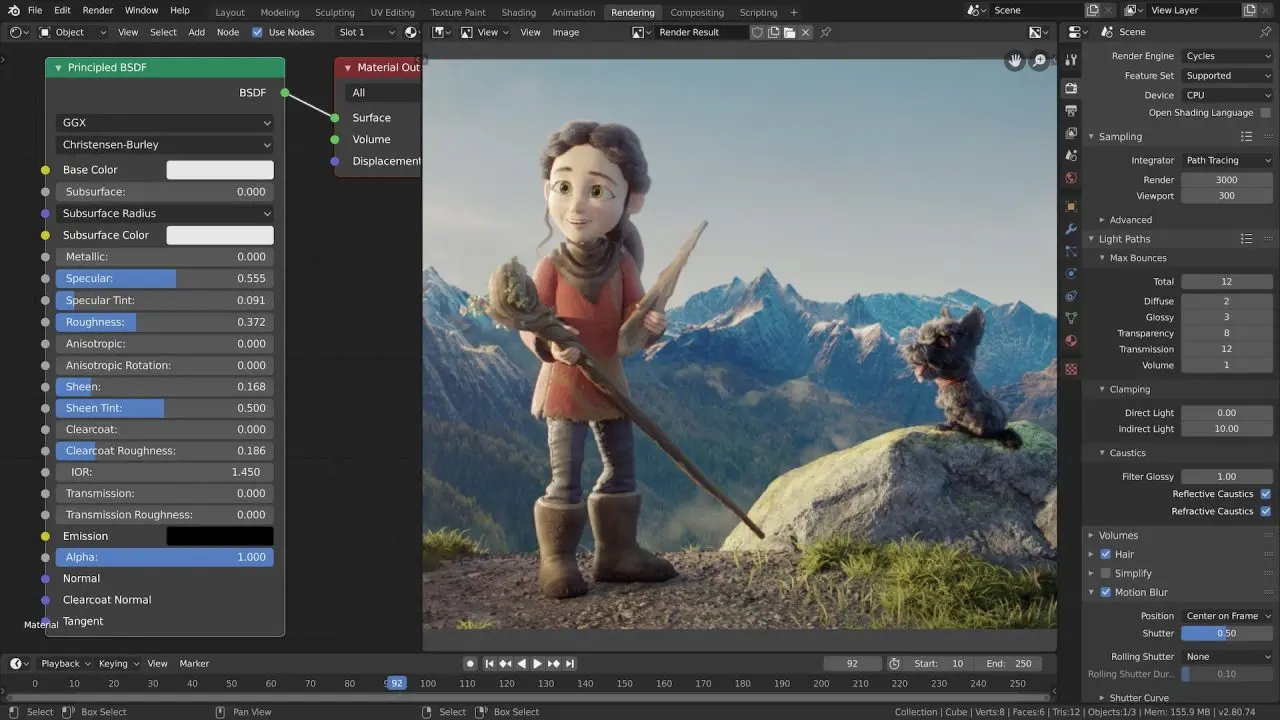
Blender: It's a free, open-source powerhouse that has gained massive traction for its comprehensive toolkit. It handles modeling, rigging, animation, simulation, and rendering all in one package. Blender is ideal for indie developers due to its zero cost and active community. Its node-based materials and geometry nodes make complex scenes efficient. It was used for animation pipelines in Spider-Man: Into the Spider-Verse.
Autodesk Maya: The gold standard for professional studios, Maya excels in character animation and rigging thanks to its robust toolset for simulations and dynamics. Although it is subscription-based, starting at $235 per month, it integrates seamlessly with game engines. High-end productions such as Avatar and The Last of Us showcase Maya's capabilities.
ZBrush: Its brush-based workflow mimics traditional clay sculpting and includes features like Dynamesh for topology fixes. Priced at $895 for a one-time purchase (or $399 per year), it’s a favorite for AAA games like God of War, in which intricate details elevate realism.
Additional options: Houdini (procedural modeling and effects, $269/year for Indie edition, ideal for simulations in games like World of Warcraft) offers advanced VFX capabilities. 3ds Max ($235/month via Autodesk) specializes in architectural and environmental modeling, used in Cyberpunk 2077 for urban assets. Mudbox ($10/month) provides sculpting similar to ZBrush but with better painting tools for textures.
2D Graphics
2D art remains vital for sprites, UI, textures and stylized games:
Adobe Photoshop: The veteran choice for pixel art, texture creation, and concepting. Its intuitive layers, brushes, and filters make it popular among artists, and it offers plugins for game-specific exports. Priced at $22.99 per month via Creative Cloud, it is ubiquitous in studios for creating assets for games such as Cuphead and many others, holding a 47.7% market share. It is one of the most popular 2D graphics editors.
Affinity and Canva: It offers vector and raster tools without subscriptions. It’s lightweight, supports infinite zoom for detailed work, and exports optimized for games. It was bought by Canva and is now tied to their system. It is free to use and download. There is a $14.99 monthly subscription if you want to use Canva AI Studio features. Great for indie teams needing professional results on a budget. For a web based solution use Canva.
Krita: It is a popular choice among digital artists seeking a free, open-source raster graphics editor optimized for painting and illustration. It boasts an expansive library of customizable brushes, animation tools, and layer support, rivaling Photoshop for creative workflows. It’s lightweight and community-driven, making it ideal for indie developers working on stylized games like Hollow Knight.
Additional options: GIMP (free, open-source) is a robust raster editor like Photoshop, popular for pixel art in indie games such as Stardew Valley. Procreate ($12.99 one-time, iPad-only) excels in intuitive brushwork for mobile-friendly sprite creation. Inkscape (free, open-source) focuses on vector graphics for scalable UI elements and icons
2D Animation
Bringing 2D assets to life requires specialized animation software:
Toon Boom Harmony: The professional pick for frame-by-frame and cut-out animation, with advanced rigging and lip-sync tools. Priced from $25/month (Essentials) to $100/month (Premium), it’s behind shows like Rick and Morty and games with cartoonish styles, offering export options for sprite sheets.
Spine 2D : Specializes in efficient skeletal 2D animation with mesh deformation ($69/year for Essential edition), powering fluid character movements in titles like Ori and the Blind Forest and integrating seamlessly with major engines.
OpenToonz: Free and open-source, it’s based on software used for Princess Mononoke. It handles scanning, compositing, and effects for hand-drawn animation, perfect for budget-conscious devs creating unique visual narratives.
Additional options: Pencil2D and Krita are also popular free tools, while Synfig Studio (free, open-source) provides vector tweening and bone rigging for smooth animations without frame-by-frame drawing, used in open-source games. Rive (free for basics, pro at $25/month) excels in creating interactive, state-machine-driven 2D animations with runtime support for Unity / Unreal, used in dynamic UI and character work for mobile games like Duet. Moho (formerly Anime Studio, $399 one-time) offers smart bones for cut-out animation, seen in Adventure Time games.
Game Engines: The foundation that you will build on
The engine ties everything together by handling physics, rendering, and logic. The best software for game development for building interactive experiences depends on your project’s visuals and team expertise. Remember that changing engines during development is almost impossible, unlike changing 3D or 2D graphics software. Here are three leading options, each with strengths for different scales.
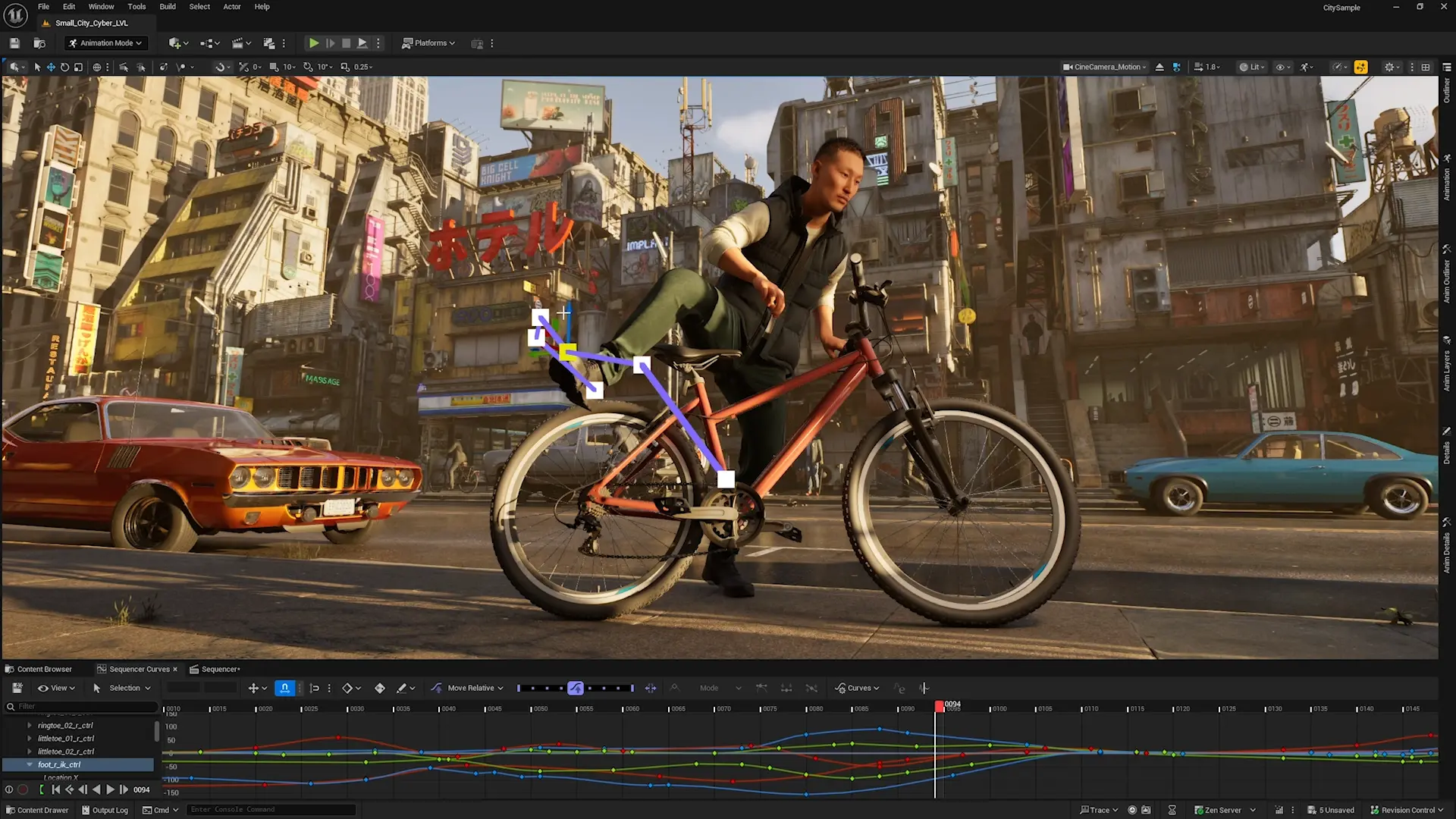
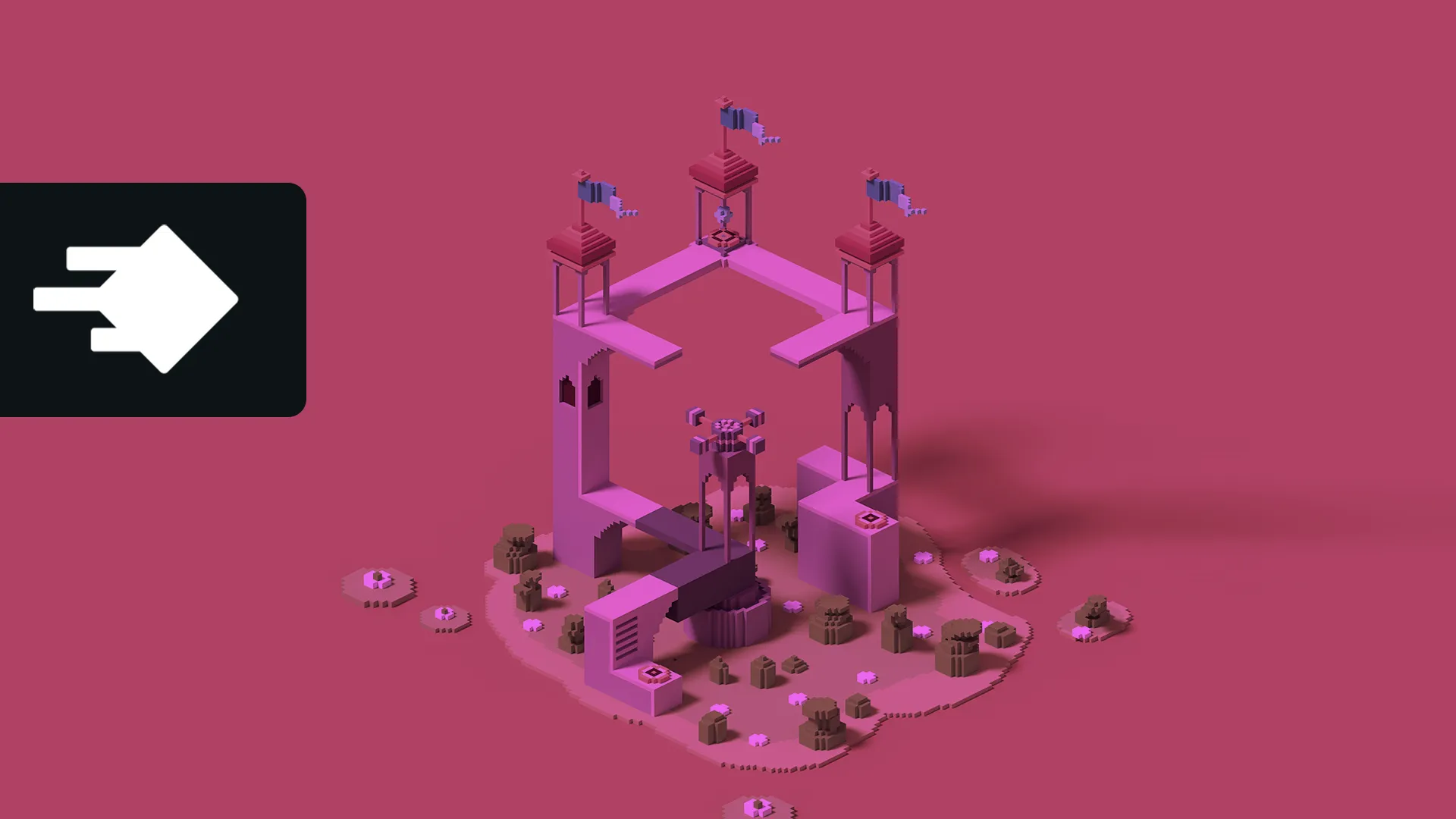
Motion trail animation in Unreal 5.6
Unreal Engine: Epic Games’ free-to-use (5% royalty on revenue over $1M) engine is renowned for photorealistic graphics via Nanite and Lumen tech. Blueprint visual scripting suits non-coders, while C++ offers deep customization. Used by over 850,000 developers every month, it brought to life many AAA hits like Fortnite and Batman: Arkham Knight, and now is used to develop the upcoming Witcher 4 and Halo: Campaign Evolved games, ideal for high-fidelity 3D projects.
Unity: Versatile and beginner-friendly, Unity uses C# scripting and has a massive asset store for quick prototyping. Free for most users (royalties kick in at $200K revenue), it’s cross-platform and excels in 2D/3D games like Genshin Impact, Cities: Skylines and Pokémon GO. Its ECS (Entity Component System) boosts performance for large worlds.
Godot: Completely free and open-source, Godot uses GDScript (Python-like) and supports 2D/3D with a lightweight node system. Its royalty-free model makes it a favorite among indie developers, as seen in Cassette Beasts. Godot is extensible via GDNative for C++ integration, making it perfect for solo developers seeking control without vendor lock-in.
Additional options: CryEngine (free with royalties) delivers stunning visuals for open-world games like Crysis. GameMaker (free with a Studio 2 tier available for a one-time fee of $99) is ideal for 2D platformers and shooters, offering drag-and-drop functionality and GML scripting. It has powered hits such as Undertale and Hotline Miami. Defold is free and lightweight for 2D mobile titles, emphasizing Lua scripting and hot-reloading.
Overall, if you have a good budget for high-end visuals, choose Unreal. It offers the best lighting, shaders, and terrain tools. However, it has high requirements to run the final game and even the editor unless good C++ programmers and tech designers manage the overall development process. On the other hand, Unity requires fewer resources unless HDRP is used and is more accessible for small and medium teams and games.
Programming: Top IDEs for Clean Code
Coding is the backbone of gameplay mechanics, and a solid Integrated Development Environment (IDE) accelerates debugging and productivity. These IDEs enhance efficiency, making them essential in the best software for game development arsenal.
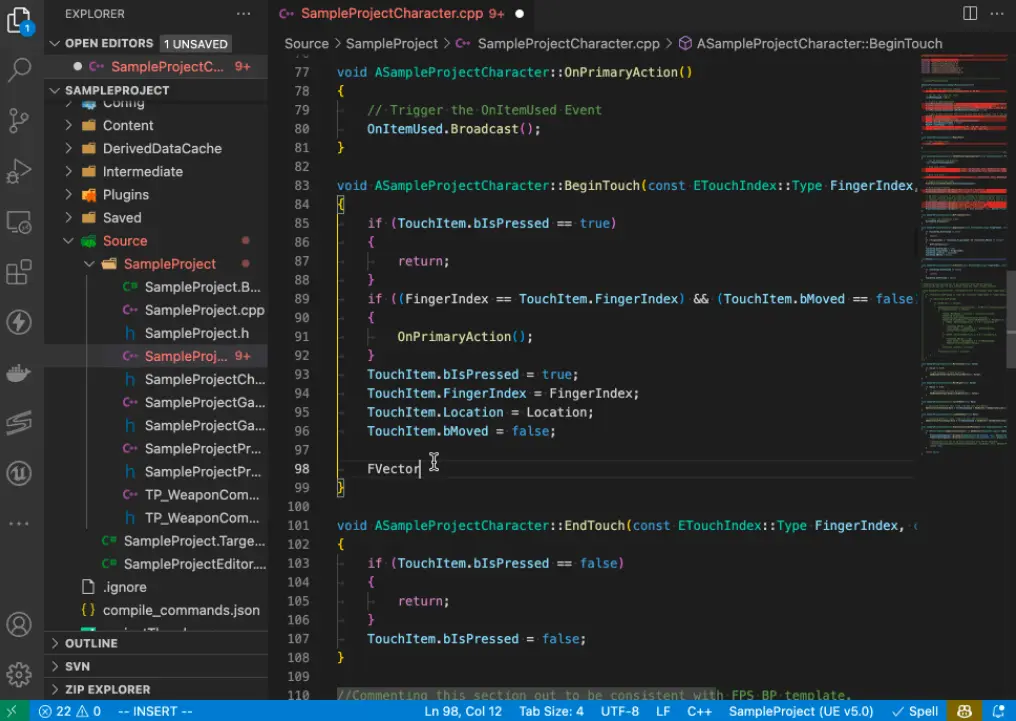
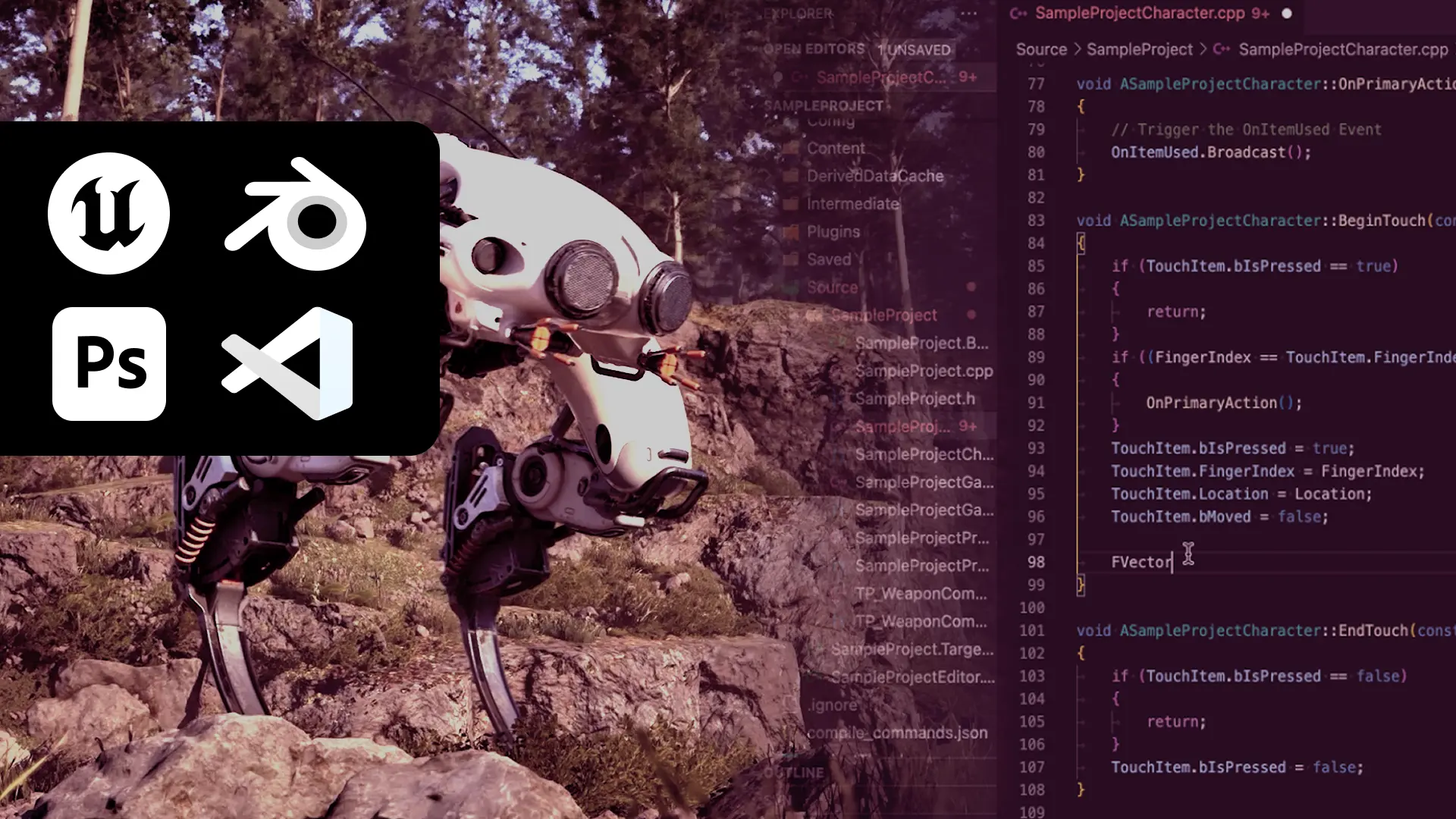
VS Code for Unreal with auto code complete
Visual Studio Code (VS Code): Microsoft’s free, extensible editor is lightweight yet powerful with extensions for Unity / Unreal integration, Git, and debugging. Language support spans C#, C++, and more via IntelliSense. It’s the go-to for most devs, praised for speed in large codebases.
Cursor: An AI-enhanced IDE built on VS Code, Cursor offers intelligent code completion and chat-based assistance for refactoring. Free tier available, with pro at $20/month, it’s emerging as a productivity booster for game scripting, especially in iterative prototyping.
JetBrains Suite (e.g., Rider, IntelliJ): JetBrains’ IDEs like Rider (for C#/.NET, $149/year) provide advanced refactoring, navigation, and Unity-specific tools. They’re robust for complex projects, used in professional studios for maintaining clean, scalable code.
Additional options: Vim/Neovim (free, terminal-based) for fast, customizable editing by power users. Sublime Text ($99 one-time) offers quick syntax highlighting and package support. Xcode (free for Apple devs) integrates seamlessly for iOS/macOS game builds with Swift/Objective-C.
Version Control: Managing assets and code
Teamwork requires tracking changes without chaos. Version control systems keep projects synchronized. These tools prevent version conflicts, a critical part of the best software for game development for any sized team.
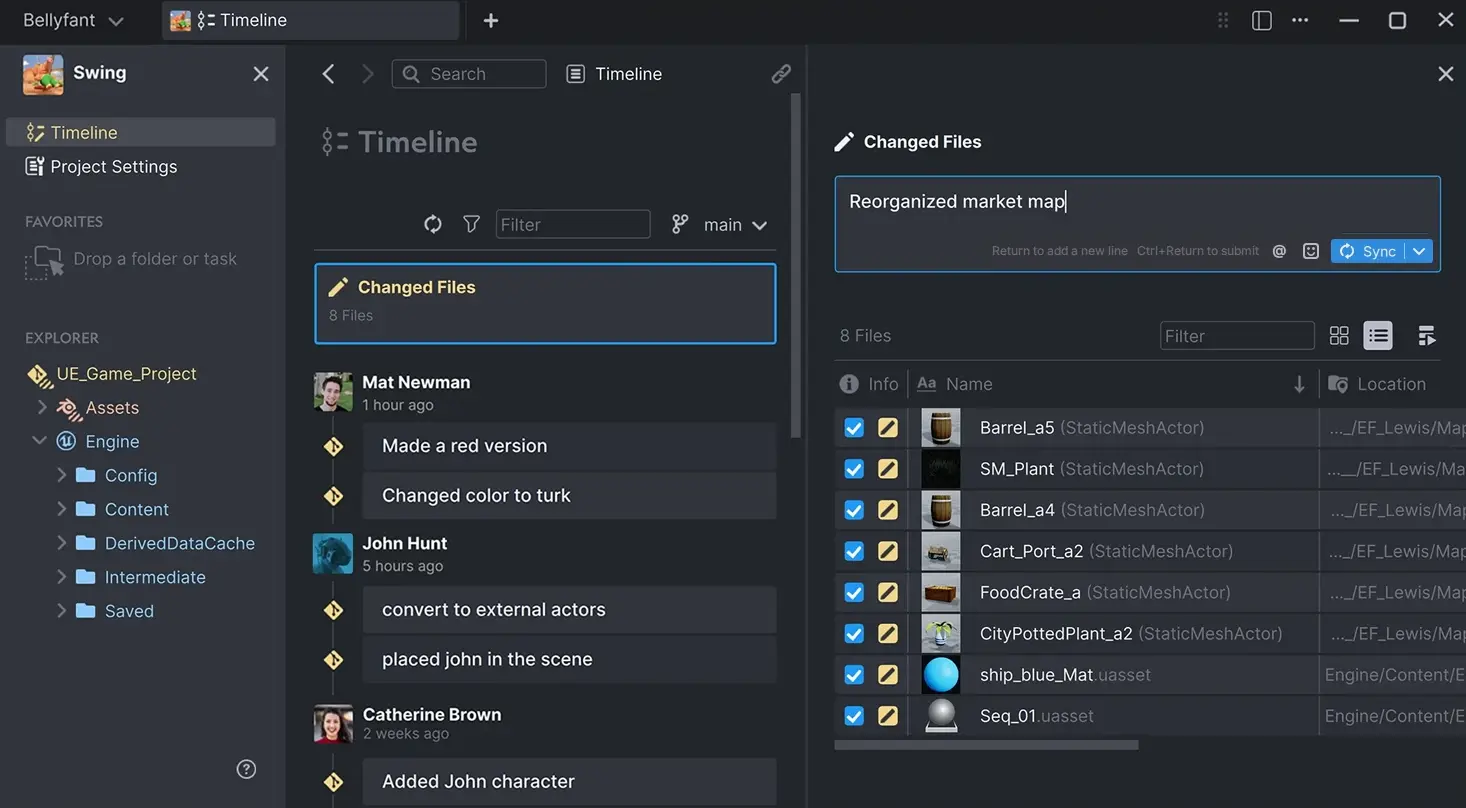
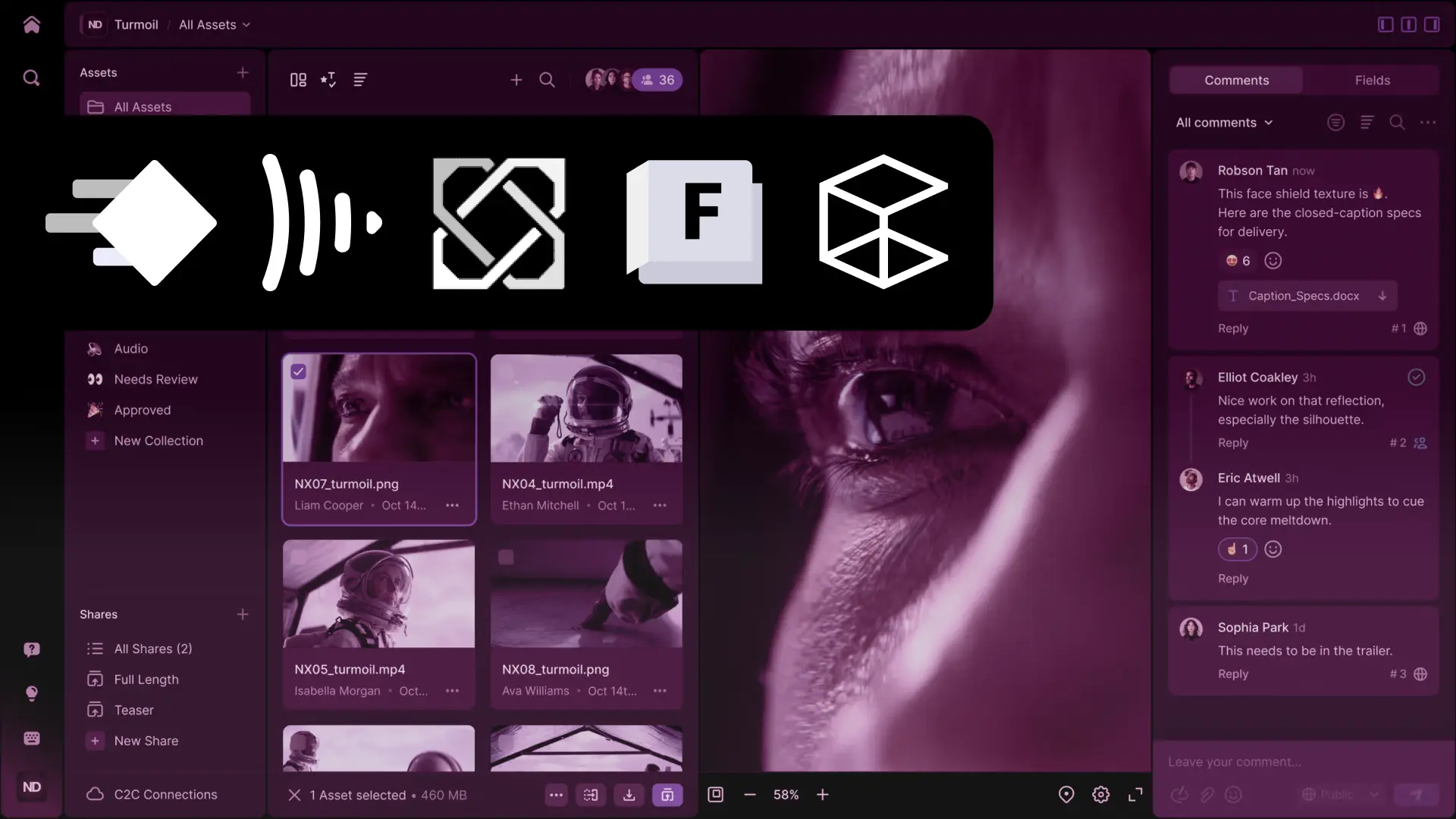
Managing an Unreal 5 project with Anchorpoint
Anchorpoint: A version control solution specifically designed for the game development industry. It focuses on making Git accessible for non-technical users like artists by providing file locking and visual thumbnails for assets like .blend or .fbx. It is 100% compatible with Git and integrates directly with GitHub/Azure DevOps/GitLab and more. Free for non commercial use (GitHub integration and Git locally, and $20/user/month for all features).
Perforce: Enterprise-grade for large files like textures and models, Perforce handles massive repos with fine-grained permissions. Free for up to 5 users (scales to $150/user/year), it’s used by studios like Ubisoft for titles such as Assassin’s Creed, ensuring reliable branching and merging.
GitHub Desktop/Site: Git-based and free for public repos (private from $4/user/month), GitHub’s desktop app simplifies commits and pulls, while the site enables issue tracking and CI/CD. It’s ideal for open-source or indie teams, powering collaborations on games like Celeste.
Additional Alternatives: Unity VCS (Plastic SCM) specializes in large binary files for games (from $6.95/user/month), with branching visuals. Bitbucket (free for small teams, $3/user/month for more) integrates Git with Jira for agile workflows. SVN (Subversion, free via Apache) is a legacy option for centralized control in older pipelines.
Git for Artists
Anchorpoint is a one-button version control solution designed for artists and used by hundreds of game studios, architects and AR/VR creators.
AI can revolutionize game development by automating tedious tasks, enhancing creativity, and optimizing performance. It generates assets, refines mechanics, and personalizes experiences, reducing development time for even small teams. Examples include:
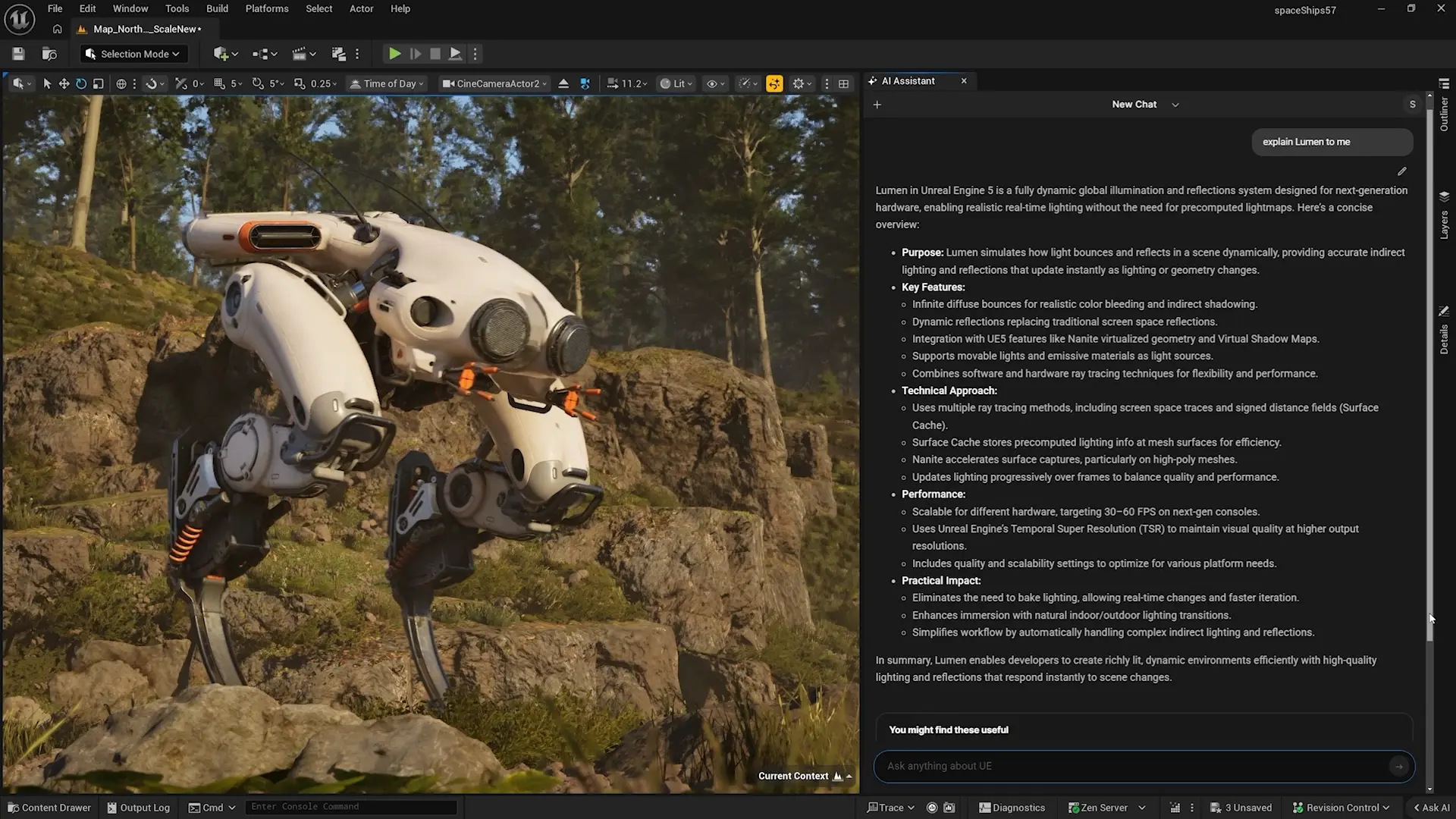
Unreal 5.7 AI Assistant
Asset Generation: Tools like Midjourney or Stable Diffusion create concept art and textures from text prompts, speeding up iteration. NVIDIA’s Canvas uses AI for landscape painting via brush strokes. In practice, devs at Ubisoft used AI for procedural foliage in Assassin’s Creed Valhalla, cutting manual work by 50% (source: GDC 2022 talk, “AI in Game Production” by Ubisoft).
NPC Behavior and Dialogue: Unity’s ML-Agents toolkit trains AI for dynamic NPC actions using reinforcement learning. For instance, in The Sims 4 expansions, EA employed AI for emergent behaviors (source: EA’s 2023 developer blog on AI-driven simulations). Ludo.ai generates game ideas and levels, as used by indie studios for prototyping (source: Ludo.ai case studies, 2024).
Procedural Content: Godot’s built-in noise functions, augmented by AI like GANs, create infinite worlds. id Software integrated AI for level design in DOOM Eternal to balance difficulty (source: Bethesda’s SIGGRAPH 2020 paper on procedural AI).
Bug Detection and Optimization: GitHub Copilot (integrated in VS Code) suggests code fixes, while tools like DeepMind’s AlphaCode assist in algorithm design. A Unity report notes AI reduced debugging time by 30% in mobile games (source: Unity’s “State of AI in Games” whitepaper, 2023).
While AI can help with many tasks in game development, it must be managed correctly by someone who understands the ins and outs of the project, e.g., the programming language and scripting. Otherwise, it will cause more problems than solutions.
FAQs
What is the best free software for 3D modeling in game development?
Blender stands out as the top free option, offering professional-grade tools for modeling, texturing, and animation without any cost.
Which game engine is ideal for beginners?
Unity is highly recommended for newcomers due to its intuitive interface, extensive tutorials, and strong 2D/3D support.
How does version control benefit game teams?
Tools like Anchorpoint and Perforce allow multiple developers to collaborate seamlessly, track changes to assets and code, and revert errors efficiently.
Can AI replace artists in game development?
No, AI assists by generating ideas and assets (e.g., via Stable Diffusion), but human creativity is essential for final polish and originality.
What’s a good IDE for Unity game programming?
Visual Studio Code is excellent for Unity, with built-in C# support, debugging, and extensions tailored for game scripting.
Why do artists need a special version control tool like Anchorpoint?
Traditional Git tools can be confusing for non-technical users. Anchorpoint provides a visual interface, file locking to prevent work from being overwritten, and thumbnail previews for 3D files.