In this guide you will learn what Git and GitHub are, how they compare to other tools, and how to use them in your Unity projects.
George Neguceanu
12 Jul 2024
Updated on
10 Feb 2026
8
min read
Content
TLDR
Git & GitHub basics: Git is a decentralized version control system; GitHub adds cloud hosting, collaboration tools like pull requests, and automation.
Why use it for Unity?: Provides backups, version history, team syncing, branching/merging, and file locking—superior to Dropbox for collaborative Git with Unity workflows.
Handles binaries: Use Git LFS for large Unity assets (models, audio, textures) to keep repos efficient.
Setup essentials: Choose a host (GitHub/Azure DevOps), a Git client (Anchorpoint/GitHub Desktop), and a Unity-specific .gitignore to exclude temp files.
Team best practices: Branching, YAML merging for scenes/prefabs, file locking, trunk-based dev, PRs for reviews, and CI/CD pipelines.
This article is a getting started guide to version control with Git. It will cover how to manage your own Unity projects and how to collaborate on a Unity project in a team. If you are already familiar with Git and are mainly interested in a how-to tutorial, take a look at out our other article on how to use GitHub on a Unity project.
Git is an advanced, active and open source version control system used by millions of developers worldwide. In this article you will learn more about:
What Git and GitHub are
How Git compares with other tools like Dropbox
How to use it in your solo and team projects
What is Git and what is GitHub?
GitHub is one of the most popular cloud services, based on the Git version control system, and comes with several additional features that can help you manage and automate tasks.
To access the GitHub cloud service, you can use Git version control commands or, much simpler, a desktop application that pushes and pulls files to GitHub.
Why do you need version control?
To prevent loss of source code and avoid file corruption, most developers, even solo ones, use some form of version control, also known as source control or revision control.
Restoring files without version control
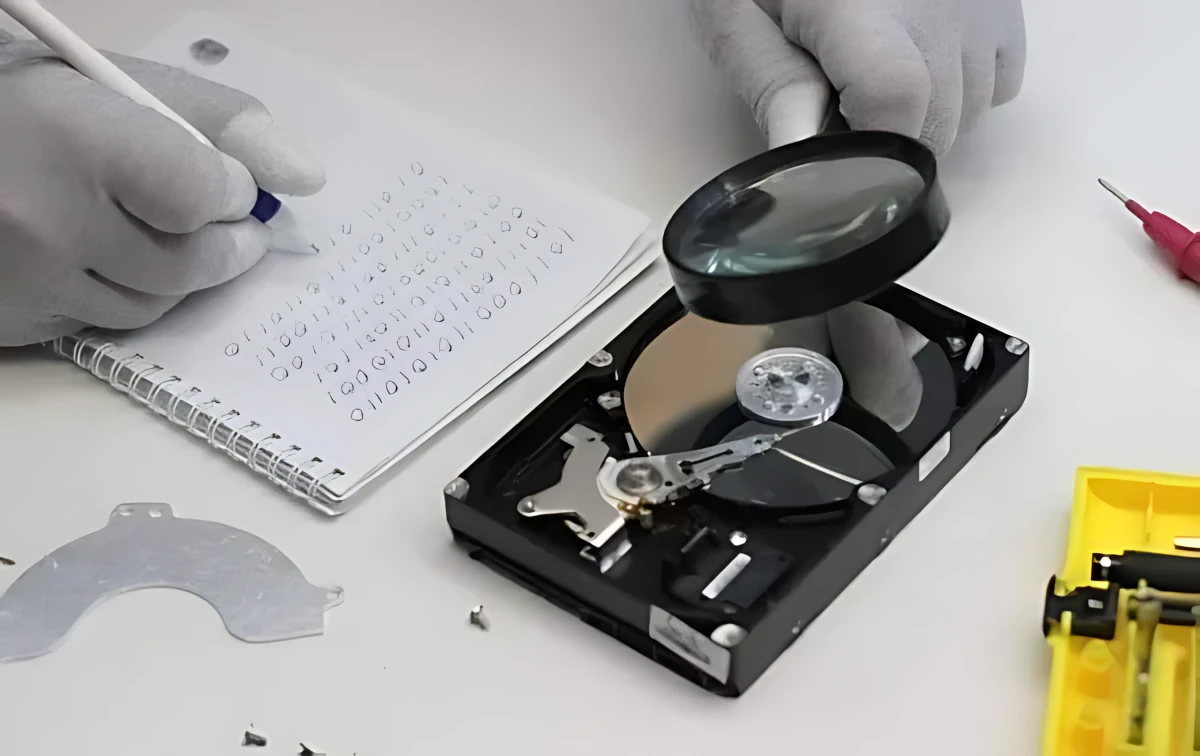
For instance, a decade or so ago, while working on a solo game project, one of my hard drives failed, causing the loss of several months of work. If I'd had the files on a cloud, or a proper GitHub version control cloud, none of this would have mattered, at worst I'd have lost a day or a few hours of work.
A proper version control system will help you to
Have backups and previous versions of the project
Synchronize between computers and your team
Add documentation to your changes
Merge and work on different branches
File locking - prevents conflicts while working on the same file in a team
How does it compare to Dropbox
Cloud services such as Dropbox, Google Drive or a NAS are not sufficient for proper backup and version control, due to the possibility of file corruption, constant syncing, and the inability to lock files when multiple people are working on the same file, but they can still be helpful if you are a lone developer and you configured the cloud settings properly.
The version control landscape
Initially dominated by systems like CVS and Subversion (SVN), which offered centralized version control, the landscape has dramatically shifted towards decentralized version control systems like Git.
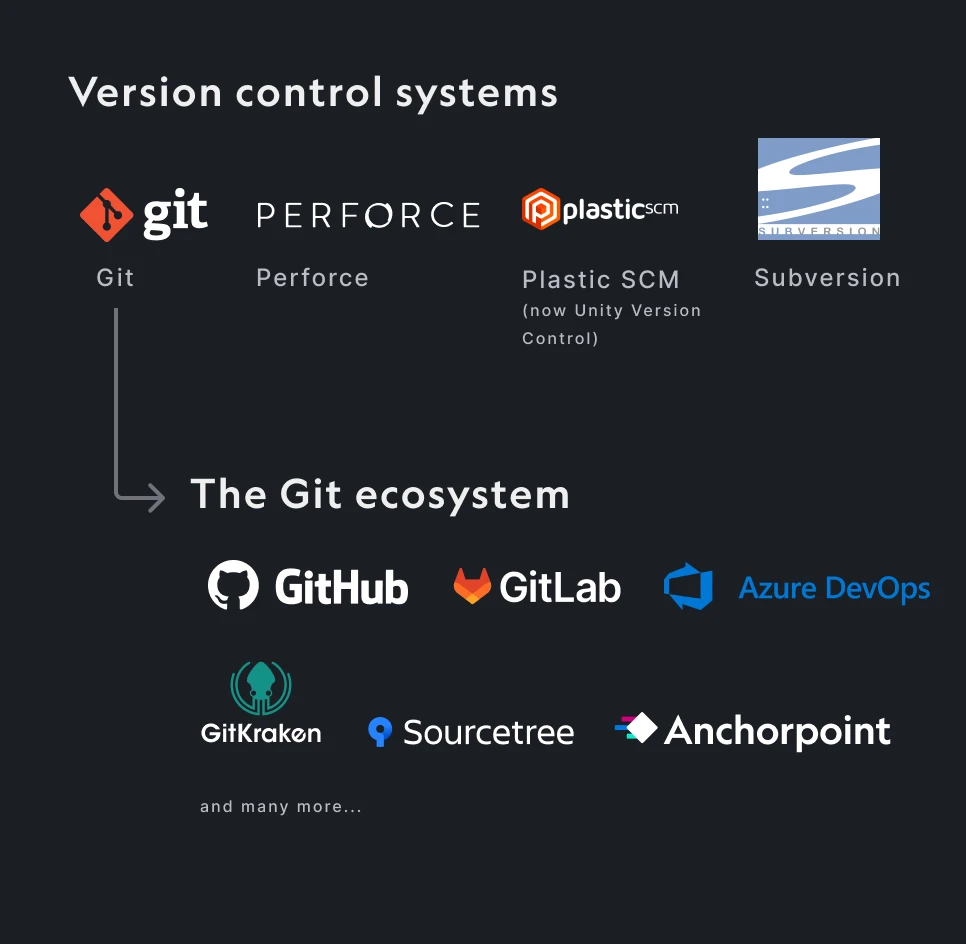
Git is just one of the many version control systems
In recent years, Git has emerged as the dominant version control system, largely due to the popularity of GitHub (every open source project is there) and because it's open source. Unlike older systems, Git allows every developer to have a complete copy of the entire project history on their local machine, making operations faster and offline work possible. Platforms like GitHub, GitLab and Bitbucket have further popularized Git by providing robust collaboration tools, such as pull requests, code reviews, and issue tracking, all integrated into a single interface
Older than Git and an industry standard for AAA game development is Perforce, which has been in the game business longer than Git and is based on a centralized system.
Perforce centralized system grants permissions at the folder level, whereas Git operates with a decentralized system where you have access to the whole project.
How does Git compare to Unity version control (Plastic SCM)
Implementing Git with Unity can have a steep learning curve due to its command-line roots and features, especially for beginners. This is why some opt for Unity’s built-in solution, Plastic SCM (now Unity Version Control). However, Git with Unity shines with proper tooling, handling large binaries and complex structures just as well, while offering a visual interface via apps like Anchorpoint.
Unity Version Control (Plastic SCM interface for Unity)
Plastic SCM, now rebranded as Unity Version Control, excels at handling large binary files and complex project structures common to game development. It provides a visual interface directly in Unity that simplifies version control tasks, which can be a significant advantage for those less familiar with traditional version control systems.
Can Git handle large binary files?
To solve the problem of handling large binary files, Git introduced Git Large File Storage (LFS). Git LFS replaces large files with text pointers within Git, while storing the actual content on a remote server. This approach keeps the repository light and efficient. When you clone a repository that uses Git LFS, the necessary large files are downloaded as needed, keeping your workflow smooth and responsive. For teams working with large binary assets, Git LFS provides a robust solution that allows you to take advantage of Git's version control capabilities. We also did a test with a 1TB repository on GitLab.
Git with Unity is not only viable but highly effective for solo and team projects when paired with Git LFS and artist-friendly tools like Anchorpoint, offering decentralized flexibility that rivals centralized systems like Perforce or Plastic SCM without the steep costs or learning curves for non-programmers.
Setting up Git for your Unity project
To use Git with Unity, we need two things:
1) A cloud provider like GitHub or Azure DevOps
While GitHub is the most popular cloud provider, it has hard limits of 2GB per file (Free and Pro plans), while the Enterprise plan has a 5 GB file limit.
You can't easily clean your storage and it offers users 10 GB of free storage and bandwidth monthly. Any additional usage is charged at $0.07 per GB for storage and $0.0875 per GB for outbound data transfer.
Luckily there are alternatives like Azure DevOps which do not charge for LFS storage (no joke!), or if you want to complete control of your files, you could try a self-hosted Git server.
2) A desktop application such as Anchorpoint, GitHub Desktop or Sourcetree
While over 30 applications are listed on the official Git website, in this article, we will focus on Anchorpoint. Although we are the developers of Anchorpoint, we aim to present objective arguments both for and against its use.
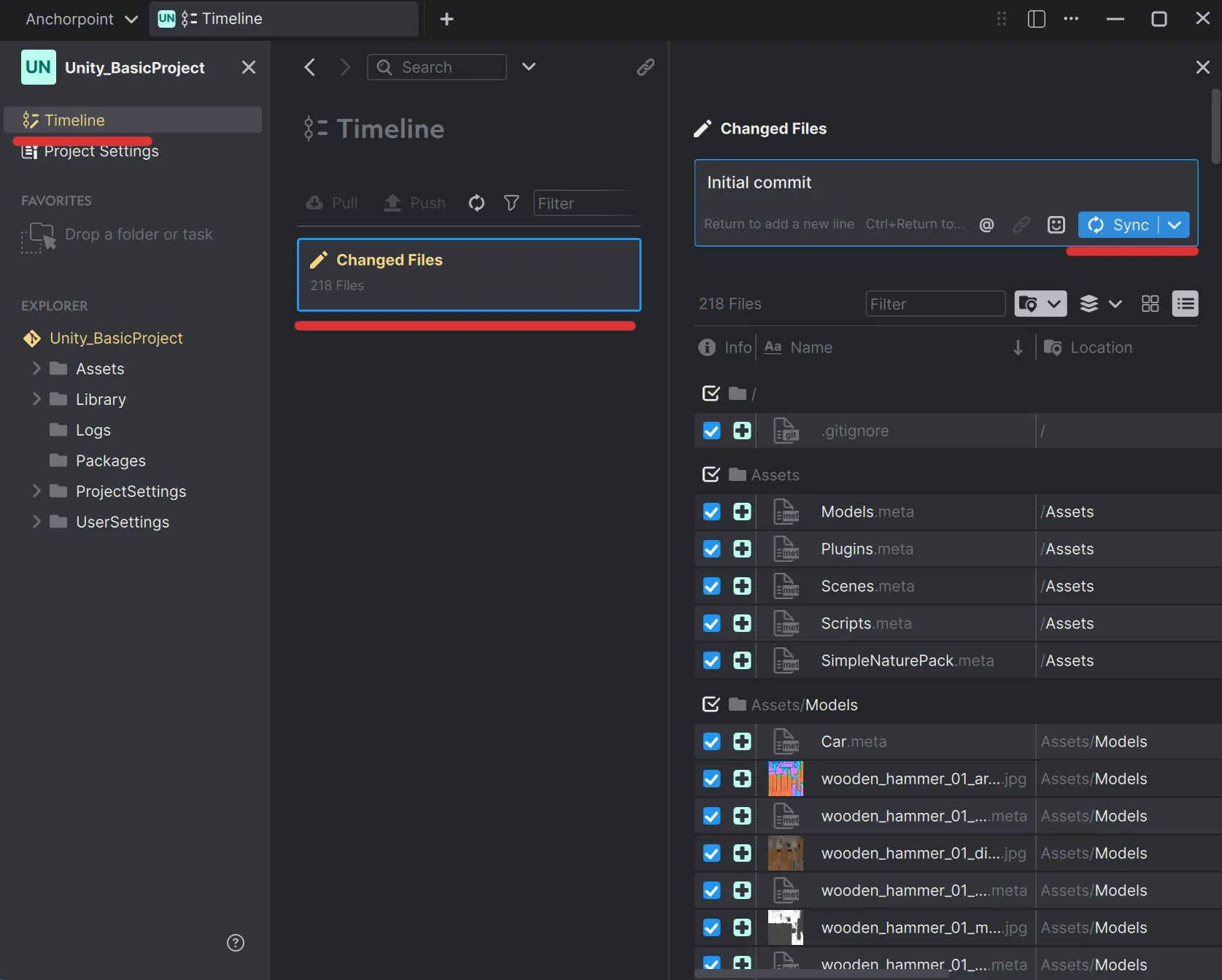
A basic Unity project in Anchorpoint
On the other hand, Anchorpoint makes sense for you if you
Want to organize and version your art assets (Blender, ZBrush and Substance files)
Anchorpoint may not be right for you if you
You need advanced Git features like rebasing, more staging controls, or submodules
You want a completely free application, because Anchorpoint is a paid solution. Although the free version of Anchorpoint has all the basic features if you want to work with GitHub
The following tutorial will show you how to setup a repository on GitHub for a Unity project using Anchorpoint.
Using a .gitignore file
You don't want to upload cache files or other temporary content that is generated on your computer in order for Unity to work properly. To avoid cluttering up your Git repository with these unnecessary files, we use a .gitignore file, which contains a set of rules that prevent the wrong files from being uploaded. While Anchorpoint automatically generates a good Unity .gitignorefile, in some cases you will have to create or modify one. Without it, you would upload too many unnecessary files into the repository, files in folders like libraries, temp, logs, etc. You can take a look at our article on how to set up a .gitignore file for Unity for more information.
Using Git in a team
The biggest problem when working with Unity and version control systems is file conflicts when more than one person is working on the same project. In addition, when you work in a larger team, you need to establish certain rules and processes to keep you working efficiently.
Branching, Merging and File Locking
To avoid these kinds of problems, some teams work in two branches, one for programming and one for design/art, and once a week the programmers merge the branches manually, or in some cases yaml merge. Others work on copies of the same scene, one for programming and one for design/art, and again they merge them at the end of the week.
Another practice to avoid many scenes merging and other issues with assets, is to use and update only the prefabs. Attach, update scripts / materials / tags to the prefabs in your project folder, and you don't have to always update the scene.
Desktop applications like Anchorpoint have a file locking system that allows you to lock a file while you are working on it, and unlock it for others when you are finished. Unity Version Control also has Smart Locks, which is a similar system.
UnityYAML Merge
Unity comes with a built-in tool called UnityYAMLMerge. This tool automatically merges scene files and prefabs. However, this tool is limited in that it cannot resolve conflicts when multiple collaborators are editing the same game object in a scene. It works well for adding, deleting, or editing different objects. To resolve merge conflicts that Smart Merge cannot handle, users must install and enable a fallback tool to resolve these conflicts manually.
Trunk-based development
Some teams use Trunk-based development (TBD) which is a version control strategy in software development where all developers work on a single branch, referred to as the "trunk" or "main" branch. This approach emphasizes continuous integration and frequent commits to the main branch, but it requires that all the team members are quite familiar with version controls, merges, conflicts and so on, which might not work for all teams. In a way is the default practice but with certain approaches and responsibilities for each team member.
Pull Requests and Code, Art Reviews
Pull requests are used by developers to notify team members that their feature, asset or bug fixes are ready to review and incorporate into the main code base. This is commonly used in collaborative development environments, particularly when using version control systems like Git.
While most commonly used for code reviews, pull requests can also be used for art reviews, where the lead artist can review and approve art assets such as materials, models, and shaders before they are committed to the main branch.
Using pull requests for your development pipeline can help catch bugs and issues early, maintain high code/asset quality, and provide a historical record of changes and discussions.
Continuous integration and Continuous Deployment (CI/CD)
If you want to expand this Continuous integration with Continuous deployment, you can create a simple CI/CD pipeline that will help you catch bugs early in the production process, automatically create / deploy builds for the team leads to preview and for QA to test on every commit, or daily, weekly.
Git for Unity projects
Built-in LFS support, no configuration and an artist friendly user interface.
Git LFS extends Git to support binary files in Git with Unity setups. Although Unity scenes are text-based, 3D models, audio, and images are binary. Anchorpoint manages Git LFS automatically. With other Git clients, you must enable Git LFS yourself. Every Git hosting provider supports Git LFS natively.
Does Git scale?
Git is often known for its challenges in handling large binary projects effectively. However, with new functionalities such as sparse checkout and Git LFS, it now operates at a reasonable speed even on extensive projects. For a more in-depth look take a look at scaling Git to 1TB of files.
Can I use Git for free?
You can. GitHub and Anchorpoint both offer a free plan that should be sufficient if you are a solo developer working on your hobby project.