Discover the best PDM software to streamline your engineering workflow and eliminate file-naming chaos.
George Neguceanu
11 Jun 2026
Updated on
11 Jun 2026
6
min read
Content
TL;DR:
Product Data Management (PDM) software saves engineers from file-naming hell (like CAD_Final_v5_ACTUAL_FINAL.step)by using version control, cloud sync, and file locking to manage heavy CAD files and Bills of Materials (BOMs).
Here is how the top 5 tools stack up:
Anchorpoint: Best for hybrid teams; its Git-based backend allows hardware and software engineers to work in the same ecosystem (Free personal / €20/mo commercial).
Autodesk Vault: Best for Autodesk ecosystems; offers seamless, deep integration for Inventor and AutoCAD users, but requires a proper IT/server setup and has limited out-of-the-box support for competing CAD tools (Often bundled with select Autodesk subscriptions / Paid tiers start around $99/user/mo).
SOLIDWORKS PDM: The heavy-duty industry standard; perfect for dedicated SolidWorks teams, but requires major IT setup and big enterprise budgets (~$1,000+/year).
OpenBOM: Best for production and purchasing; cloud-flexible tool that shines at managing BOMs and collaborating with external vendors (Free tier / Starts at $30/mo).
Bild: The modern, browser-based "Google Drive for CAD"; amazing for fast-growing, funded startups, but carries a steep flat entry fee ($600/mo platform fee).
If you've ever had to deal with the nightmare of managing huge engineering files and naming them things like "Assembly_Final_v3_FINAL.step", then you'll already be familiar with the pain involved. This is precisely the area in which Product Data Management (PDM) software can be a real lifesaver.
What is a PDM?
Think of a PDM as the ultimate source of truth for your physical product designs. It can handle your large CAD files, bills of materials (BOMs) and complex revision histories.
Now, if you're a software engineer reading this, you might be thinking, "Wait a minute, isn't that just Git with GitHub?"
Yes and no! PDM tools have a lot in common with standard version control apps used in coding. Both offer version history, branching and cloud syncing to enable team collaboration. However, PDMs are specifically designed to handle large 3D binary files. They offer essential hardware-centric features such as file locking, which prevents two mechanical engineers from accidentally overwriting the same CAD model at the same time, as well as native integrations directly inside tools such as SolidWorks or AutoCAD.
The Best PDM software Out There
Finding the right PDM can feel like wandering through a maze of corporate jargon. Let's break down our favorite options out there right now.
1. Anchorpoint
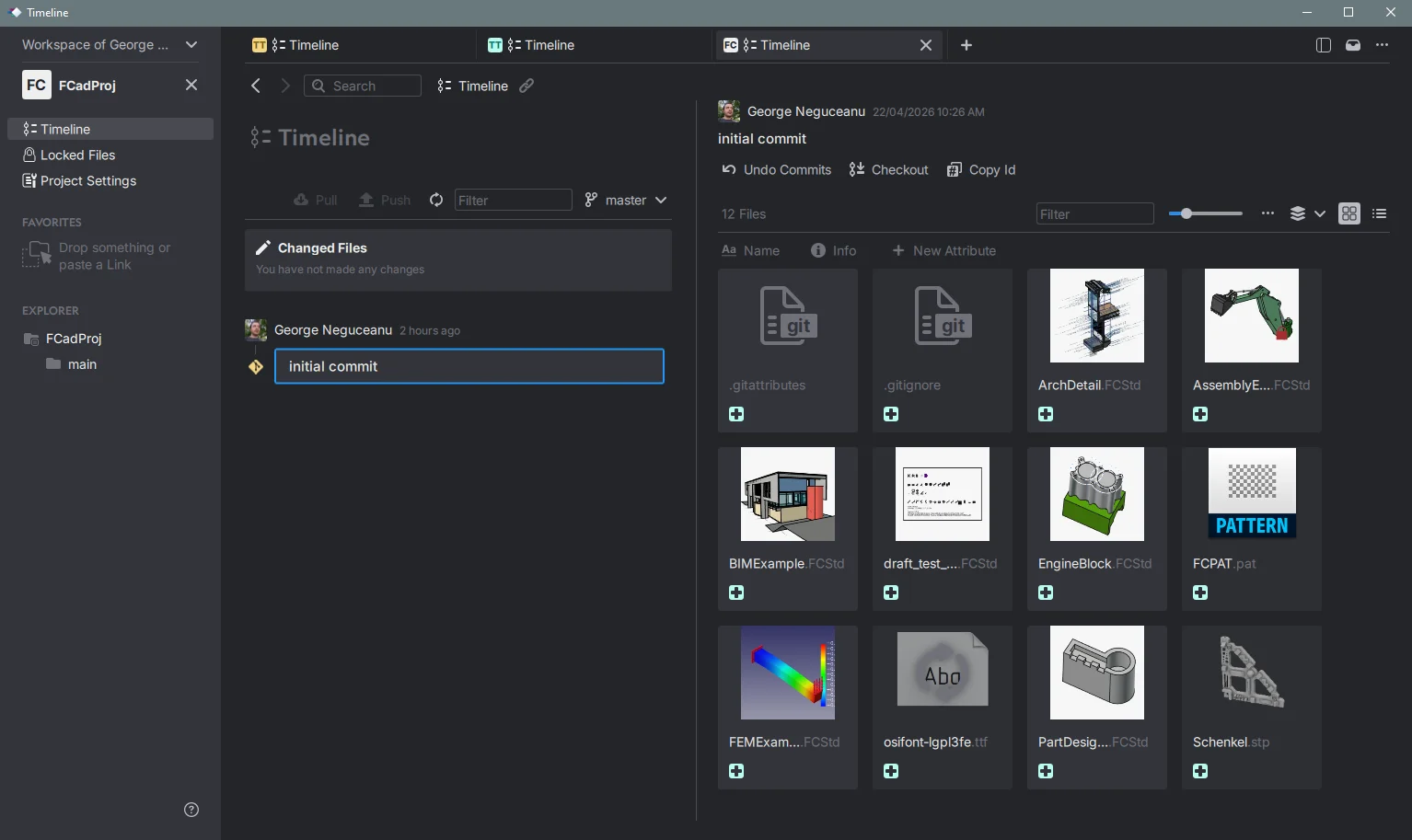
Anchorpoint allows your software engineers to continue using the Git workflows they are familiar with, such as branches, pull requests, and CLI magic. Meanwhile, artists and designers receive a user-friendly desktop application with features like file locking, visual diffs for 3D scenes, and cloud backup. The “hardware” folks aren't stuck in email hell swapping ZIP files anymore, and the engineers don't have to learn an esoteric check-in ritual. It's a genuine "two worlds merge" moment.
Pros:
Real file locking for binary assets – no more accidental overwrites.
Built on Git LFS, so repositories can handle terabytes of data without choking.
Cloud sync and collaboration straight out of the box
Intuitive UI that feels like a modern Git client, not industrial enterprise bloatware.
Cons:
Just like standard Git, you have to ensure your local repository is fully up to date before pushing changes, which can be a learning curve for traditional hardware engineers.
Still relatively young compared to the dinosaurs, so some niche CAD integrations aren’t as polished yet.
Advanced admin controls and on‑premises hosting are behind the paid plans.
Pricing:
It has a free tier for personal use! Commercial plans start at €20 (about $22) per user, per month.
2. SOLIDWORKS PDM
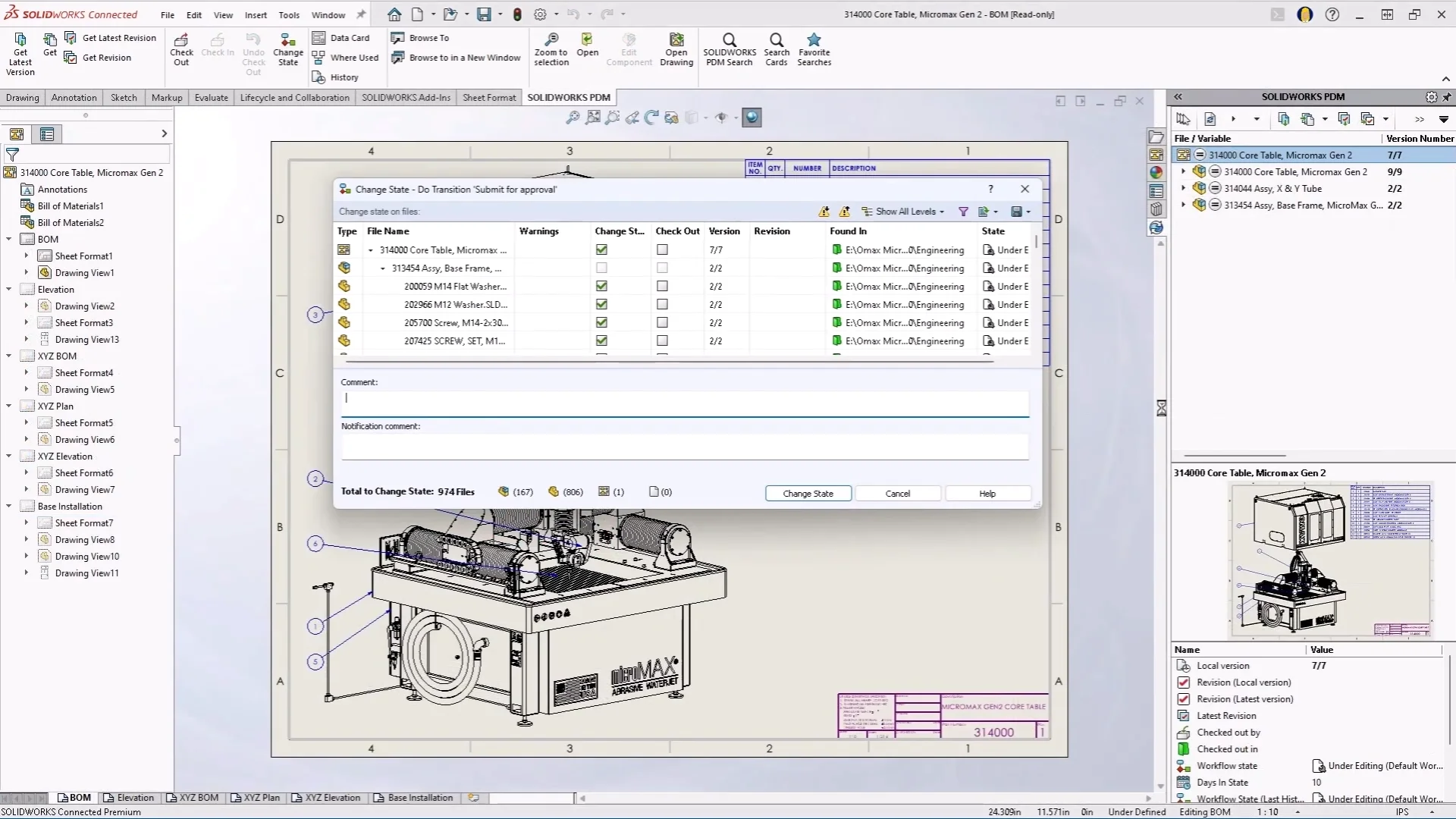
If SolidWorks is your bread and butter, PDM is an obvious choice. It’s deeply integrated into the CAD environment. You can check files in and out from the task pane, track references, manage revisions, and automate PDF creation. SolidWorks PDM Standard comes with SolidWorks Professional and Premium licenses, so many teams already have it.
Pros:
Extremely tight integration with SolidWorks; designers never leave their familiar interface.
Robust file locking, automatic numbering, and state‑based workflows.
Handles complex assemblies with thousands of parts surprisingly well.
Cons:
Outside of the SolidWorks bubble, it’s nearly useless. Don’t expect your electronics or software team to adopt it.
Deployment and maintenance require a Windows Server, SQL database, and a patient admin.
The interface feels dated, and mobile/cloud access is an afterthought unless you bolt on the additional (pricey) SolidWorks Manage.
Pricing:
PDM Standard is included with SolidWorks Professional (~$2,820 initial + optional yearly maintenance) or Premium licenses.
PDM Professional requires a separate server license (~$1,320/concurrent user, plus maintenance). Basically, talk to a VAR for exact numbers.
3. Autodesk Vault
Vault is a classic PDM that integrates directly with Inventor, AutoCAD, Revit, and more. If your team relies on Autodesk products, Vault will feel like a natural extension. It manages CAD file relationships, automatically creates PDFs and STEP files when you check in files, and enforces revision schemes without you having to do anything.
Pros:
Seamless integration with Autodesk products; copy‑design, where‑used lookups, BOM management built in.
Vault Basic comes bundled with most Product Design & Manufacturing Collection subscriptions (no extra cost).
Solid file locking and version control for 2D/3D design data.
Cons:
Not a great fit if your team is mixed with non‑Autodesk tools or software engineers – it’s very much a silo.
The full‑featured Vault Professional requires a separate, steep license and often a dedicated admin.
Cloud collaboration is an afterthought; works best on a local network or with VPN.
Pricing:
Vault Basic is included with an Autodesk PD&M Collection subscription (~$99/month for a single‑user license; team plans vary).
4. OpenBOM
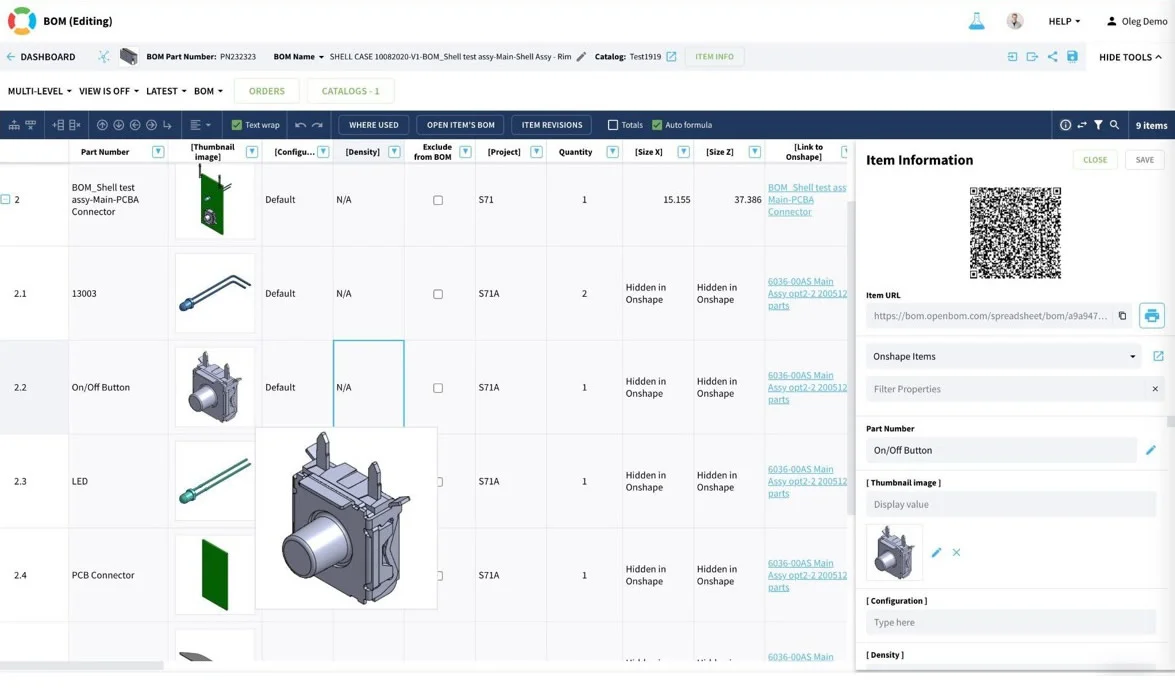
OpenBOM takes a different approach. It focuses less on heavy 3D file check-in and check-out and more on managing bills of materials, change orders, and product data across your supply chain. However, it does include revision control for CAD files and a very generous free tier for up to ten users. It's the "popular free" option you've been looking for!.
Pros:
Cloud‑native; works in a browser, so collaboration is immediate and global.
Integrates with major CAD tools (SolidWorks, Onshape, Altium) via plugins.
Easy to learn – you can be productive in an afternoon.
Cons:
File‑level locking is present but not as battle‑tested as Perforce or Anchorpoint for binaries.
Not designed for game engine assets; it’s geared toward discrete manufacturing.
Pricing:
Pro: $55/user/month, $165 with PDM
Enterprise: custom, with on‑premise options.
5. Bild PDM
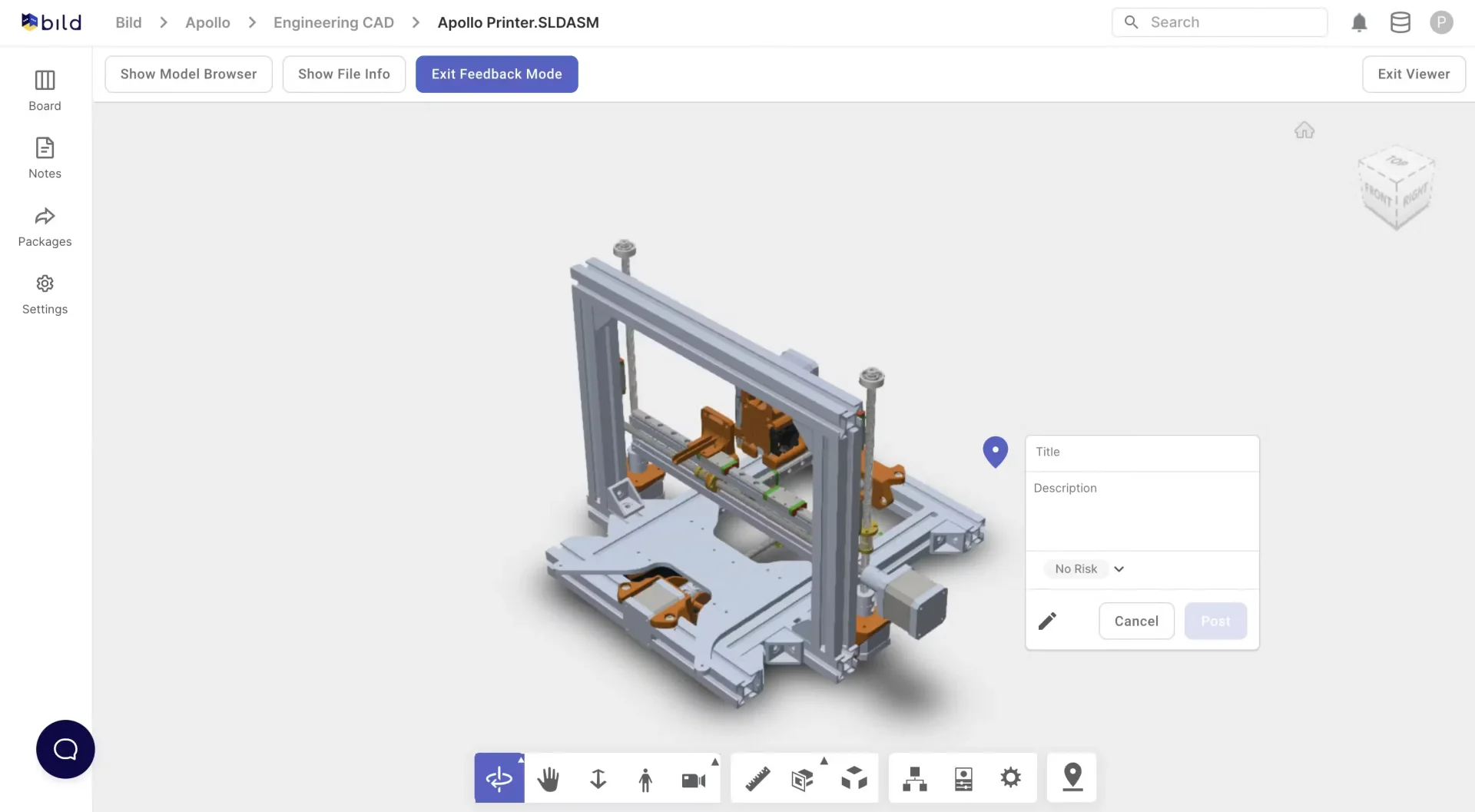
Bild is a newer, cloud-native PDM that focuses on making version control and BOM management as simple for mechanical engineers as Google Docs is for writers. It integrates directly with SolidWorks, Onshape, and Fusion 360, offering file locking, revision history, and visual comparisons, all inside a clean web dashboard.
Pros:
Real-time sync and no local server required; everything lives in the cloud.
Built-in BOM management with cost roll-ups and change tracking.
Modern, intuitive interface that non-technical team members can pick up quickly.
Cons:
Limited CAD integrations compared to larger players; if you’re outside the Onshape/Fusion/SolidWorks trinity, support is thin.
No on-premises deployment; data residency might be a concern for sensitive IP.
Relatively new, so the community and third-party ecosystem are still growing.
Pricing:
Starts at a $600/month flat platform fee (billed annually) for basic teams, $750 quarterly.
FAQ
What exactly is a PDM, and how is it different from version control tools like Git?
Product data management (PDM) is a system designed to manage design files, CAD assemblies, bills of materials, and revisions, typically for hardware teams. Although version control tools like Git are built for code, PDM offers critical features for managing binary assets, such as file locking to prevent overwriting, visual diffs for 3D models, bill of materials (BOM) management, and CAD-aware integrations. Modern hybrid PDM tools like Anchorpoint use Git behind the scenes but present it in a way that mechanical engineers and artists find intuitive.
Why is Anchorpoint recommended for hybrid hardware/software teams?
Anchorpoint is built on top of Git. This enables software and hardware engineers to collaborate within the same ecosystem and provides a visual interface optimized for 3D assets.
Why is "file locking" so essential in a PDM compared to regular cloud storage?
Unlike code or text documents, 3D CAD models are large binary files that cannot easily be auto-merged. File locking prevents chaos by ensuring that two engineers don't open, edit, and overwrite the same file at the same time.
What is the most significant adjustment that hardware engineers must make when using non-traditional solutions, such as AnchorPoint?
Because Anchorpoint runs on Git, engineers have to get used to a local-to-remote Git workflow. This means you have to make sure your local repository is fully updated with your team's latest changes before you can push your own work, which is a bit different from traditional PDM check-ins.